WMAP
Classification: Assessment Methodologies / Vulnerability Assessment
Targets: 192.229.69.3 (WMAP scan - Apache 2.4.18 Ubuntu) and 192.159.71.3 (http_put test)
1. Executive Summary
WMAP is Metasploit’s web application scanning plugin. In this lab we load WMAP, define
the target site/target, and run the full set of web modules against an Apache 2.4.18
server, enumerating the server banner, allowed methods, robots.txt, directories and
files. We then use the http_put auxiliary module to confirm that a directory (/data/)
is writable, uploading and reading back a test file.
2. Setup
After confirming connectivity, we start PostgreSQL and launch MSF Console.
ping -c 4 192.229.69.3
service postgresql start
msfconsole -q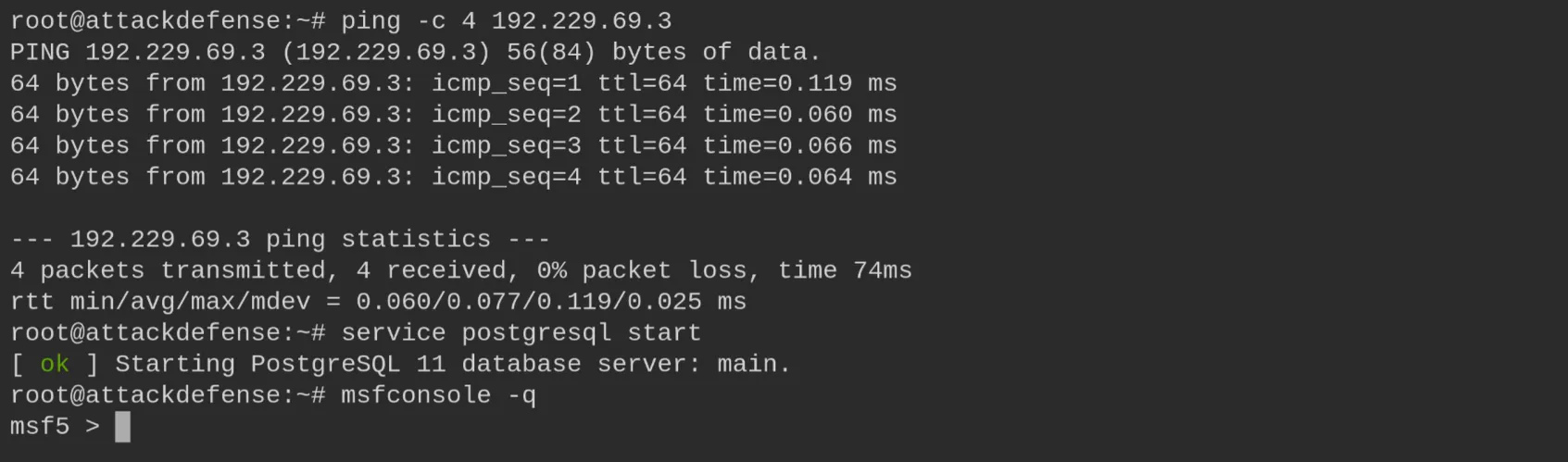
We create a dedicated workspace and set the global target variables.
workspace -a WMAP
setg RHOSTS 192.229.69.3
setg RHOST 192.229.69.3
3. Loading WMAP
load wmapThe plugin exposes the wmap_sites, wmap_targets, wmap_run, wmap_nodes,
wmap_modules and wmap_vulns commands.

4. Defining Site & Target
wmap_sites -a 192.229.69.3
wmap_sites -l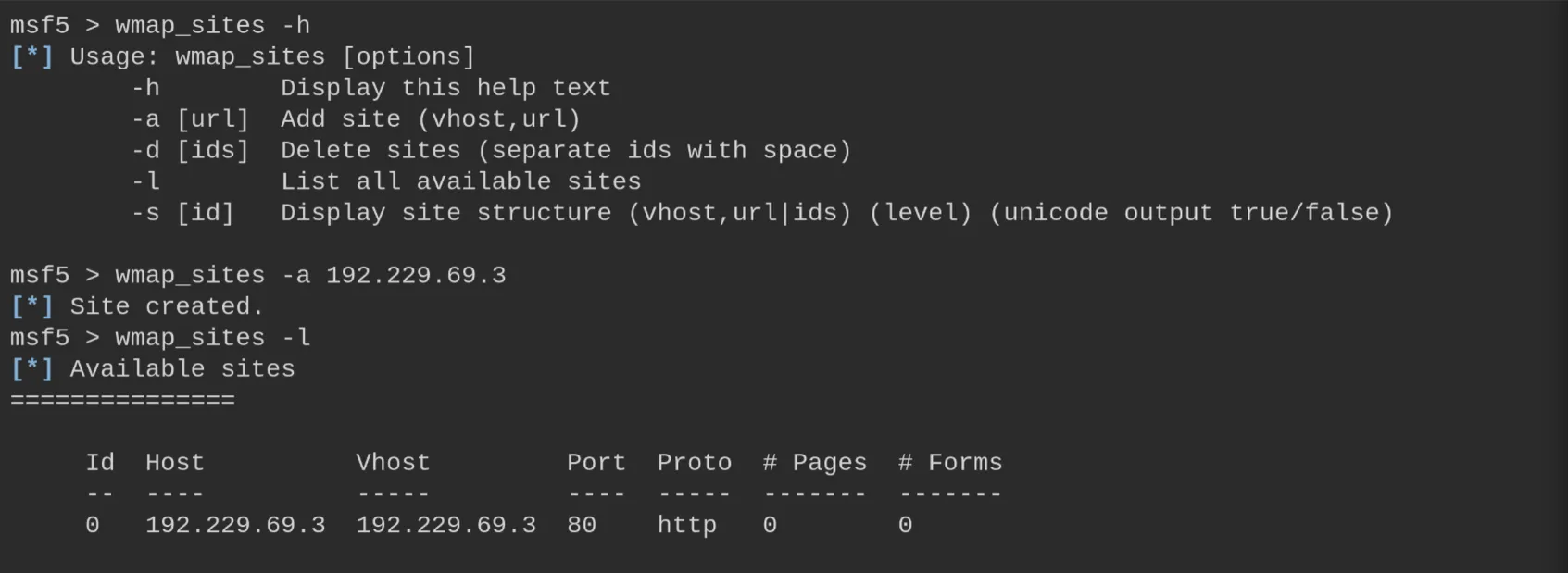
wmap_targets -t http://192.229.69.3/
wmap_targets -l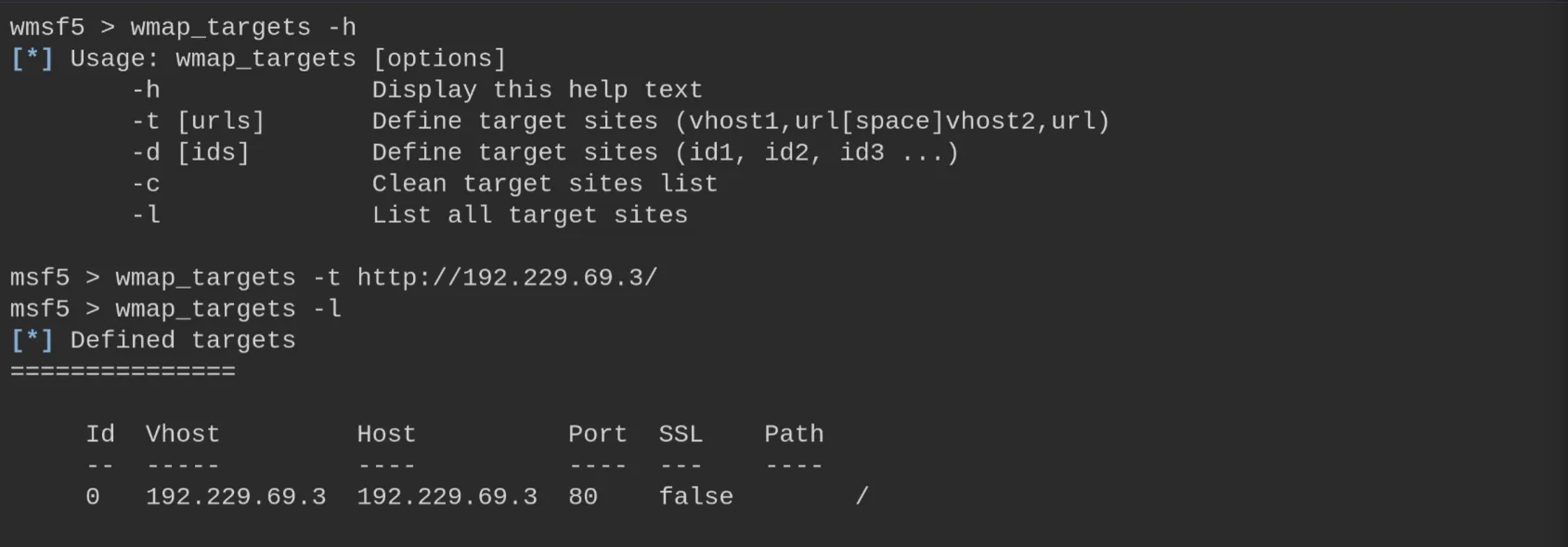
5. Listing the Enabled Modules
wmap_run -t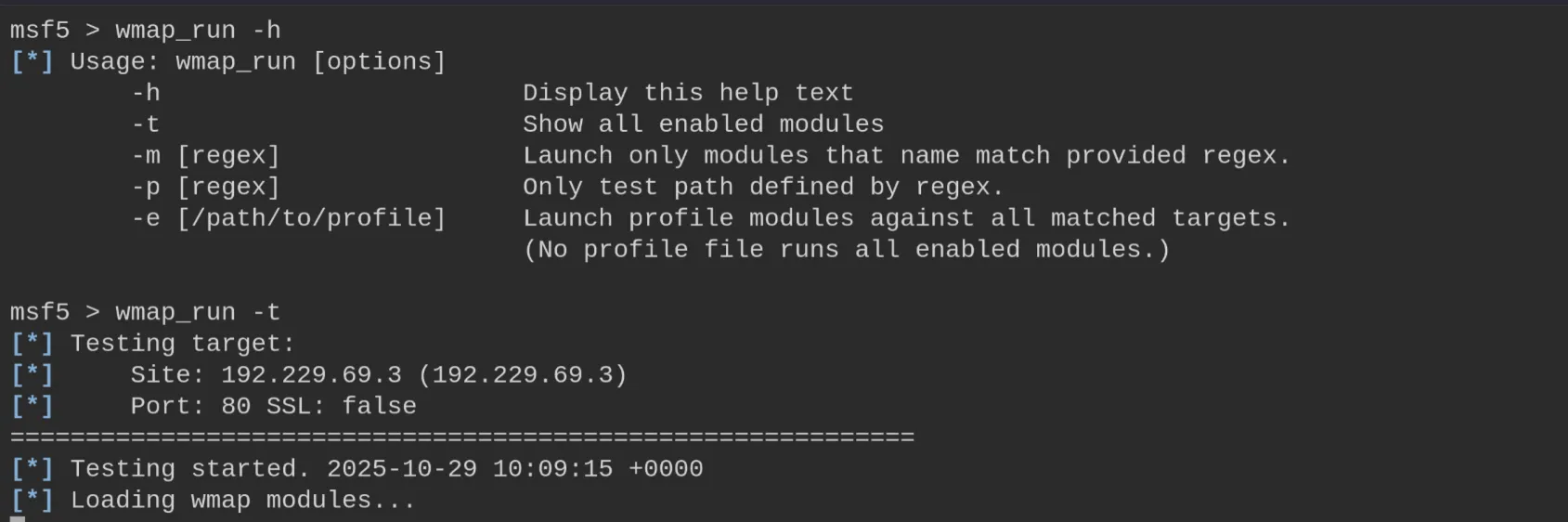
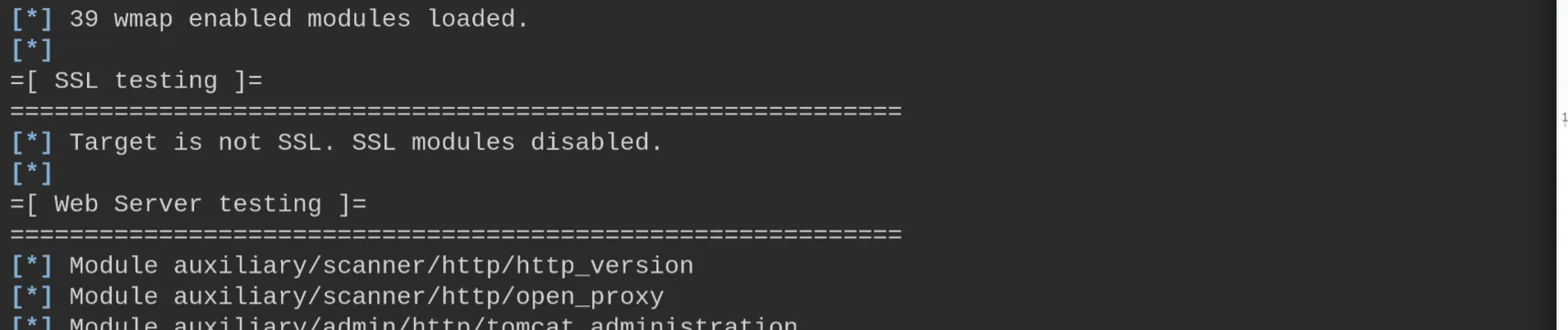
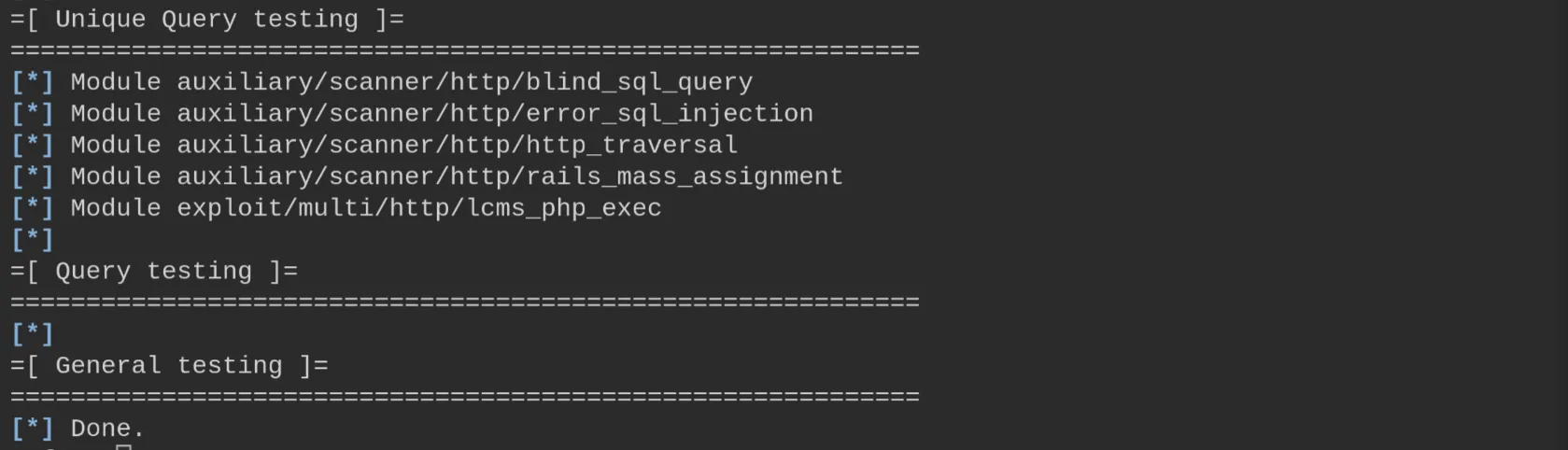
39 modules are enabled, grouped by category (SSL, Web Server, File/Dir, Query…).

6. Running the Scan
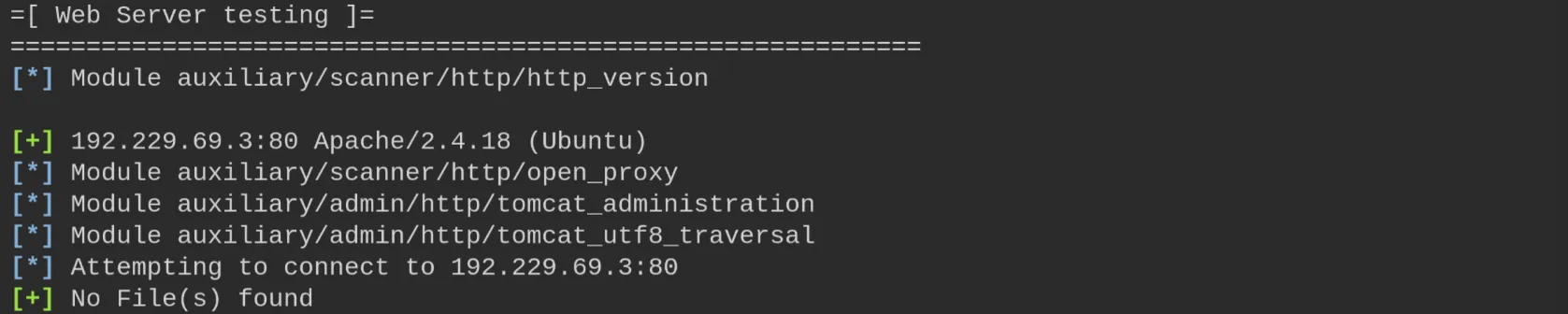
wmap_run -e
The Web Server tests fingerprint Apache/2.4.18 (Ubuntu).
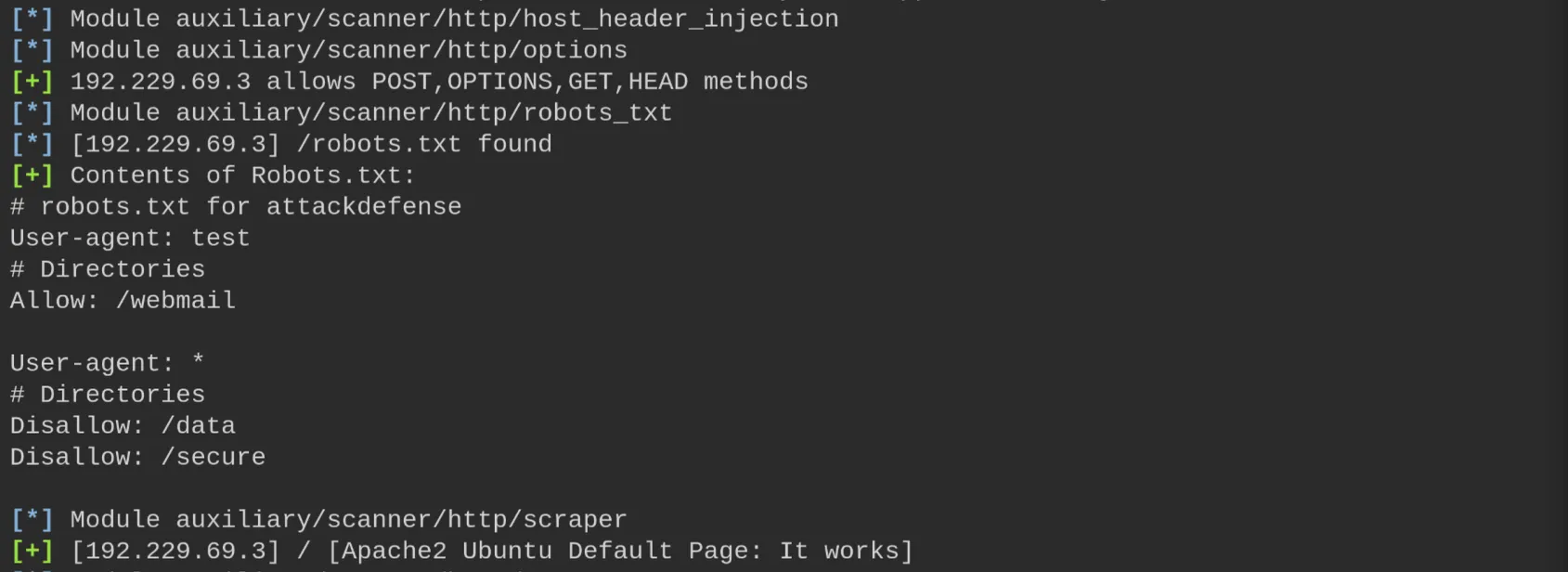
Further modules enumerate the allowed methods (POST, OPTIONS, GET, HEAD), read
robots.txt (Allow: /webmail, Disallow: /data, /secure) and scrape the default page.
Directory brute-forcing discovers several paths (/doc, /pro, /downloads…).
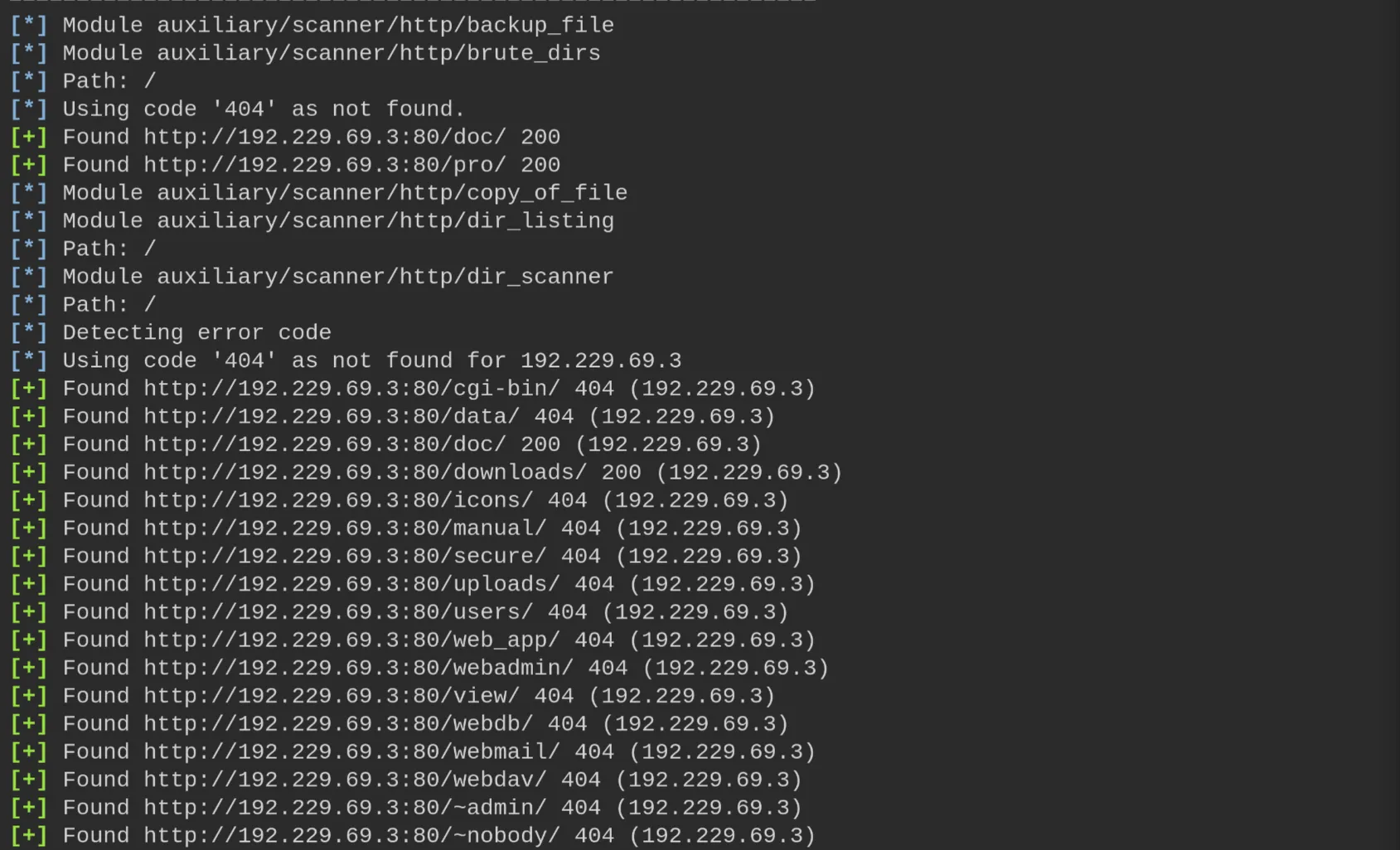
File scanning finds backup and source files (file.backup, code.c, code.cfg).


Directory enumeration returns the status codes for each path (301/401/403); /secure and
/webdav return 401.
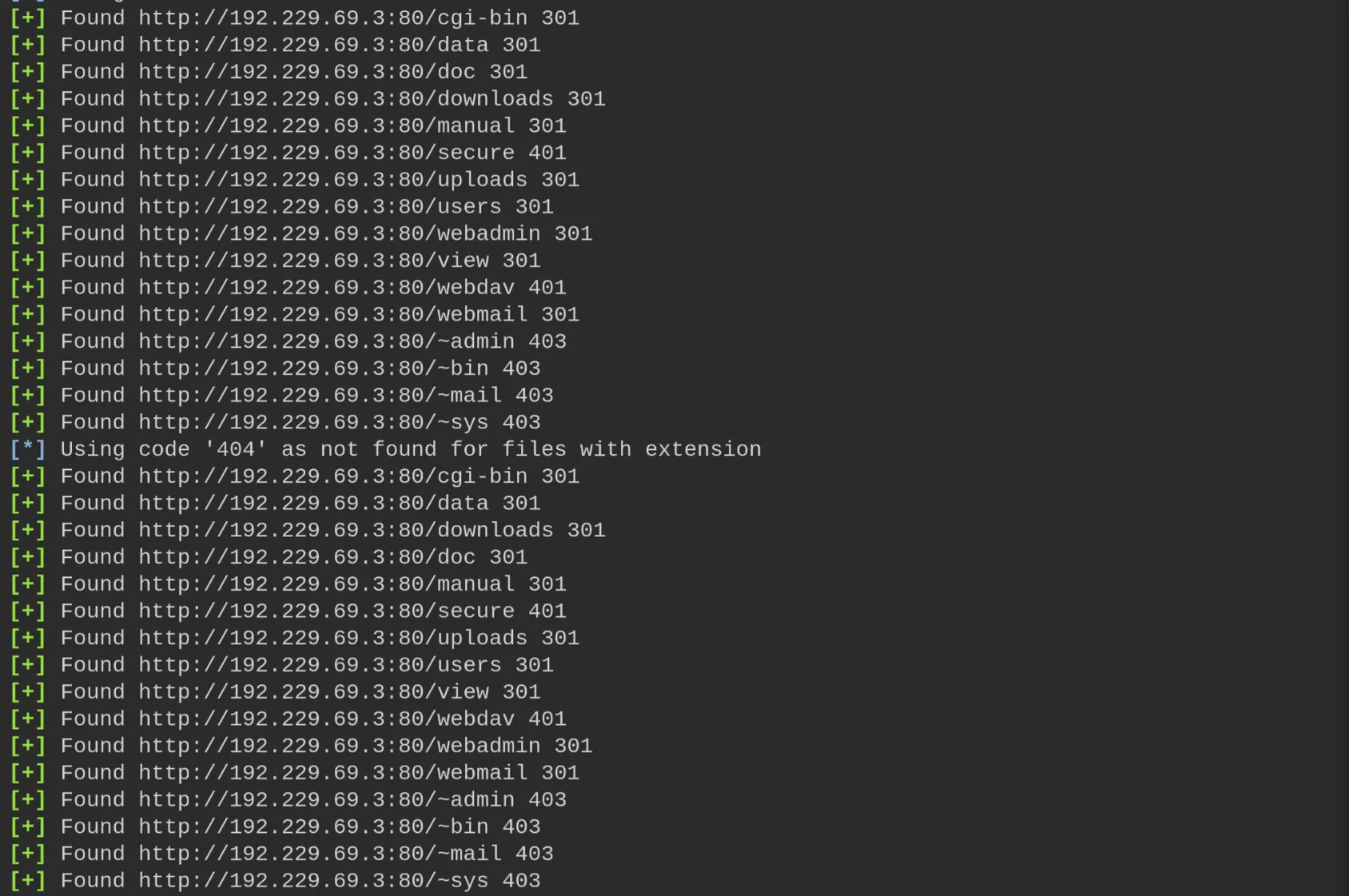
The scan completes after ~310 seconds.

7. Testing Writable Directories (http_put)
We first review the allowed HTTP methods with the options module.
use auxiliary/scanner/http/options
run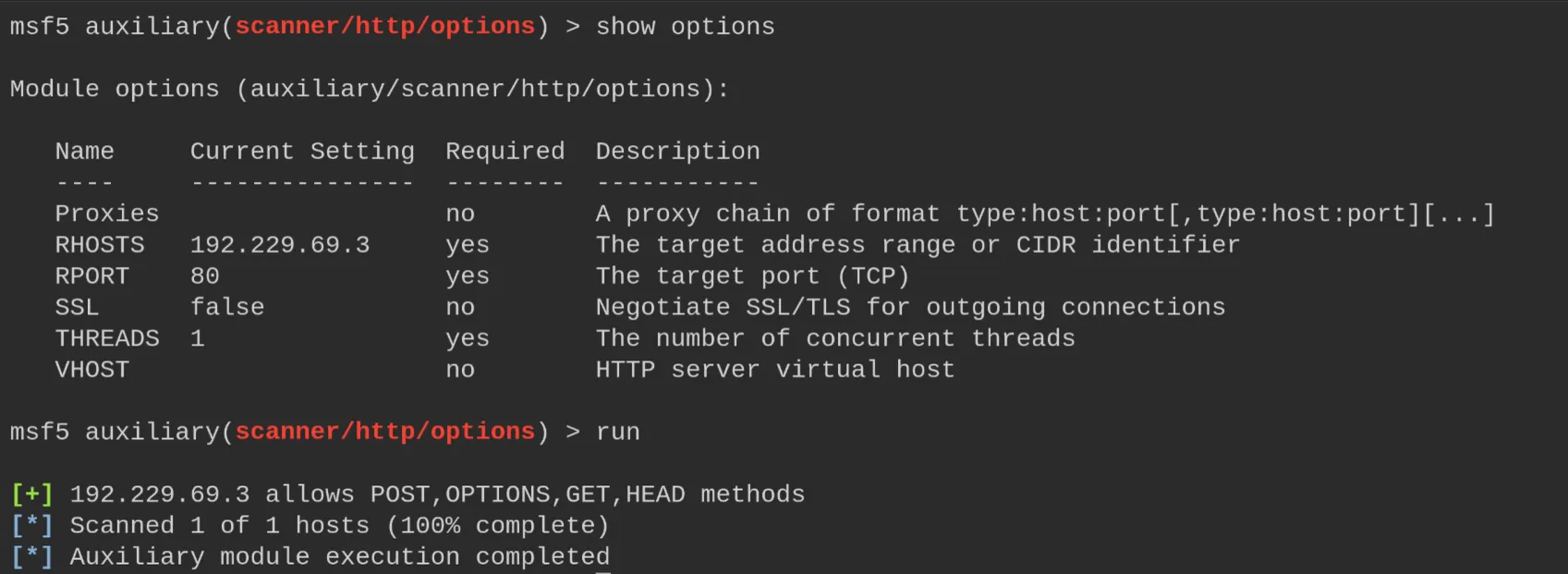
Then we try the http_put module to upload a file. On the web root (/) the upload
fails.
use auxiliary/scanner/http/http_put
run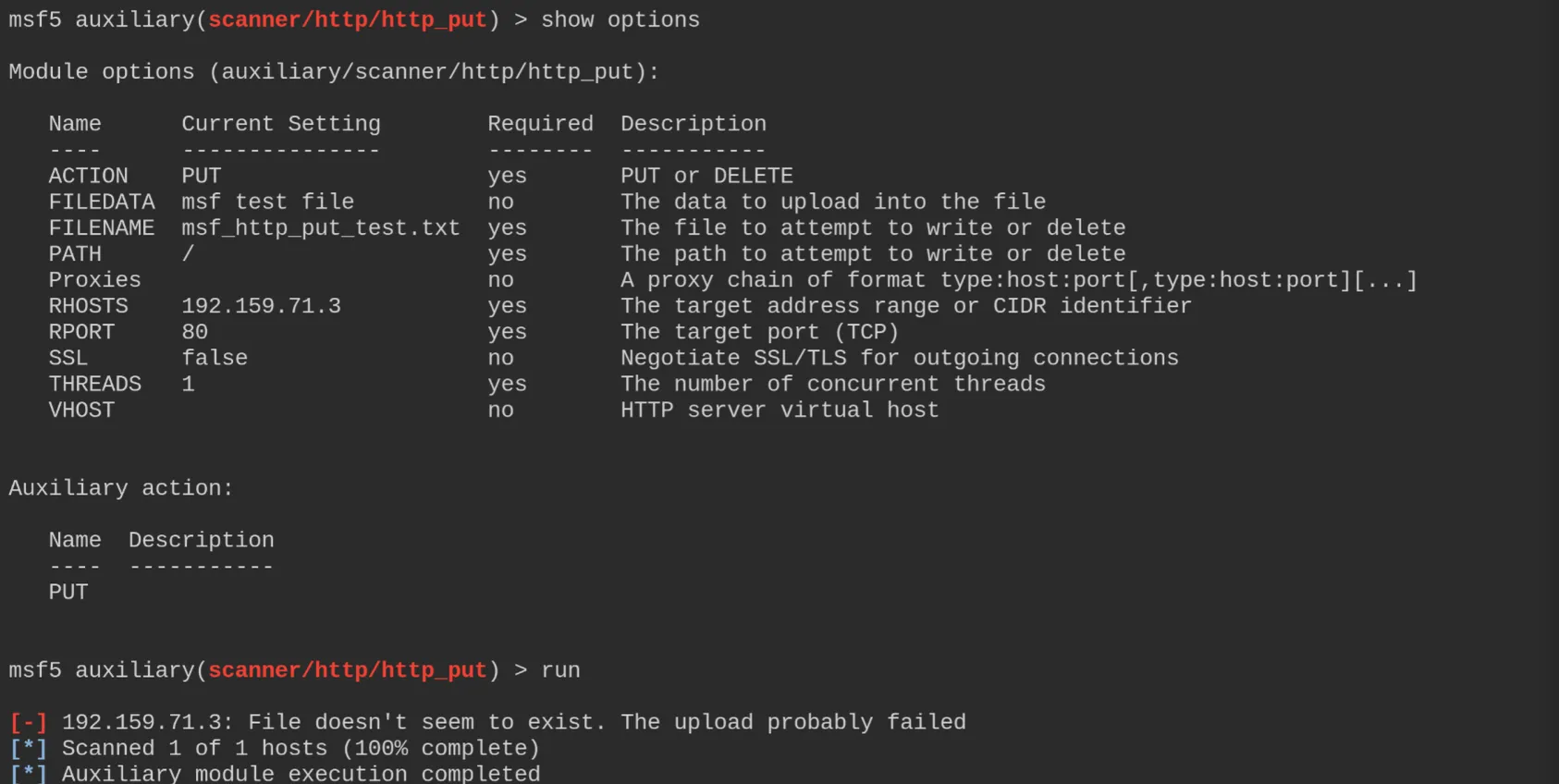
Setting the path to /data/ (writable) the upload succeeds.
set PATH /data/
run
We confirm write access by changing the file name/data and reading it back with curl.
set FILENAME this_works.txt
set FILEDATA "This does work ||| "
run
curl http://192.159.71.3:80/data/this_works.txt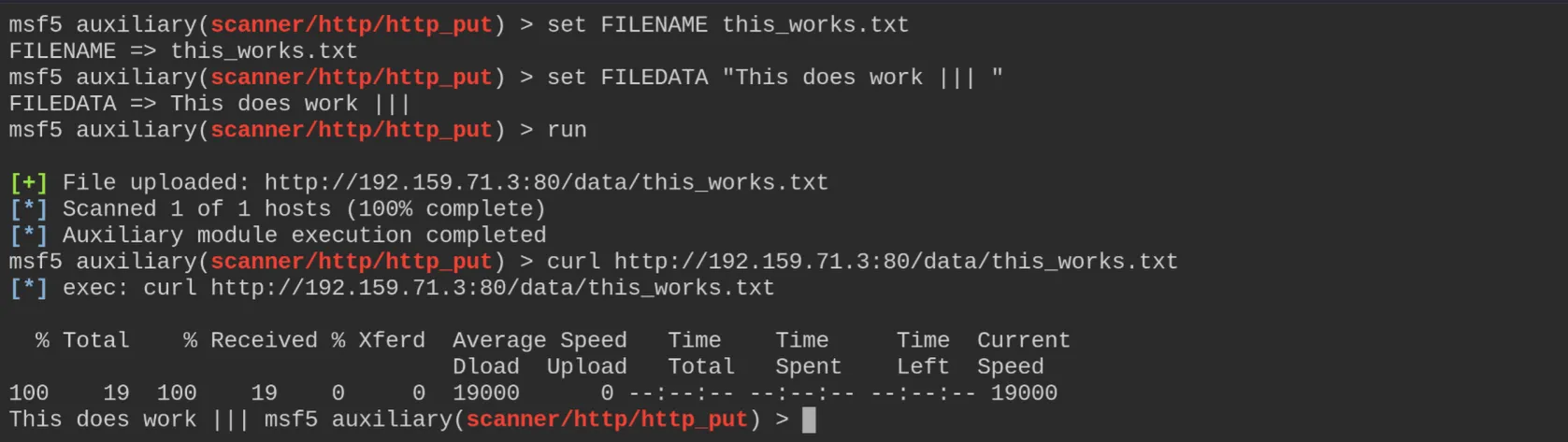
8. Remediation Recommendations
- Disable the HTTP
PUT/DELETEmethods and make web directories non-writable to prevent arbitrary file uploads. - Remove sensitive/backup files (
file.backup,code.c,code.cfg) from the web root and disable directory listing. - Protect restricted paths with real authentication:
robots.txtis not a security control. - Suppress the server version banner and keep Apache up to date.