Scan the Server III
Classification: Assessment Methodologies / Footprinting & Scanning
Target: demo.ine.local (192.90.49.3)
1. Executive Summary
This lab covers port scanning and service detection with Nmap. The TCP scan shows no open ports, but a UDP scan uncovers SNMP on port 161. An aggressive scan of that port enumerates a large amount of host information (installed software and running processes).
2. Host Discovery
ping -c 4 demo.ine.local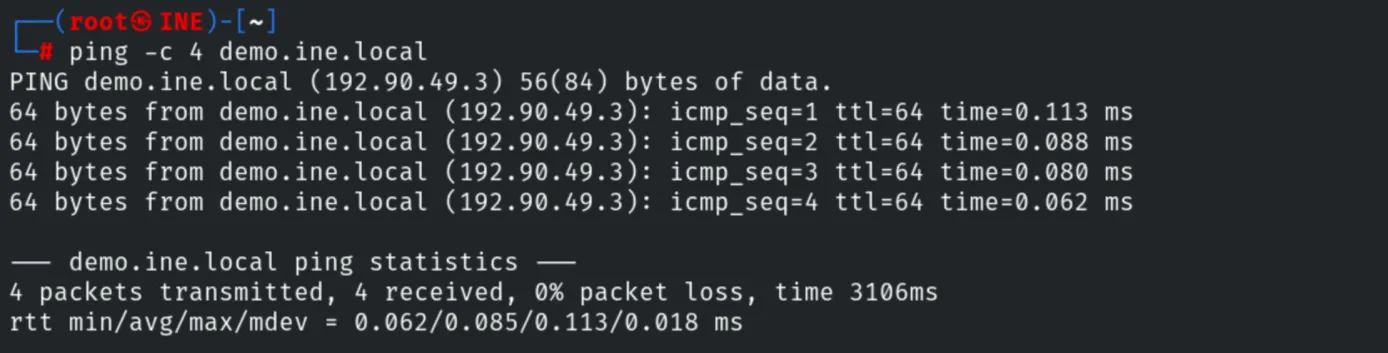
3. TCP Port Scan
A full TCP scan (with -T4 for speed) reports all ports as closed/filtered.
nmap -T4 -p- demo.ine.local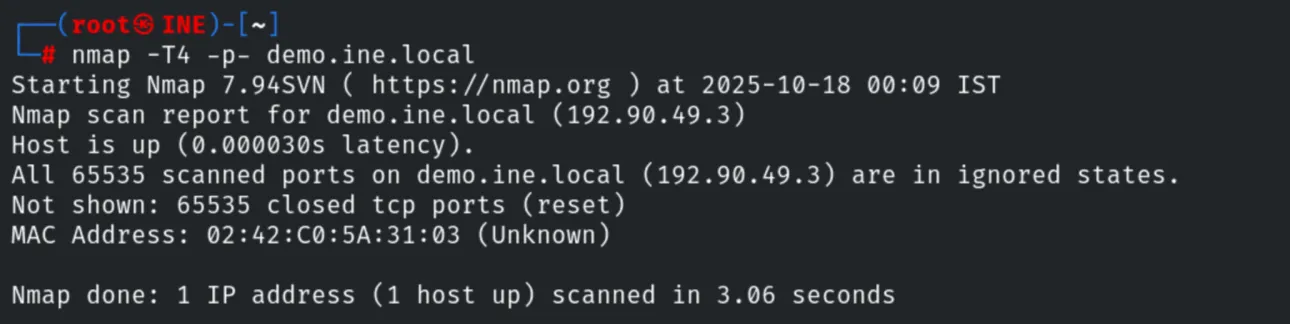
4. UDP Port Scan
Switching to a UDP scan reveals SNMP on port 161.
nmap -T4 -sU -p1-250 demo.ine.local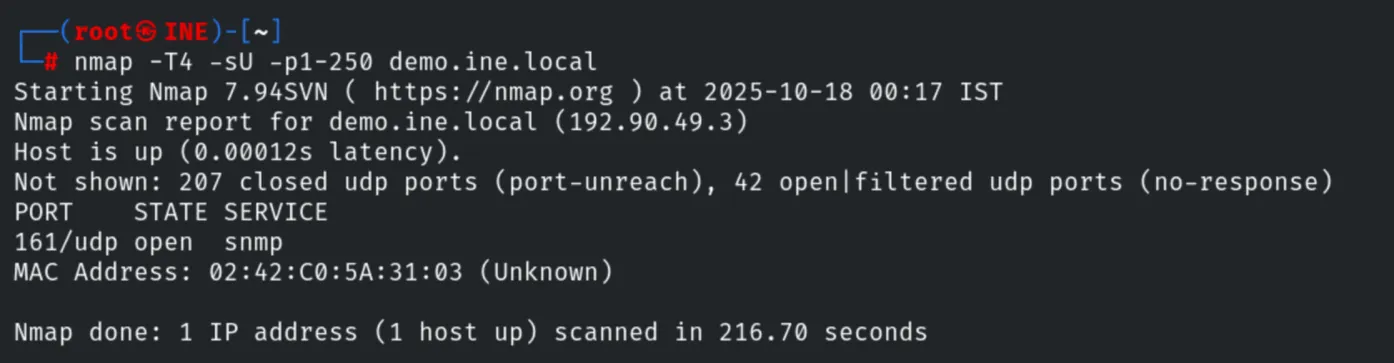
5. Aggressive SNMP Scan
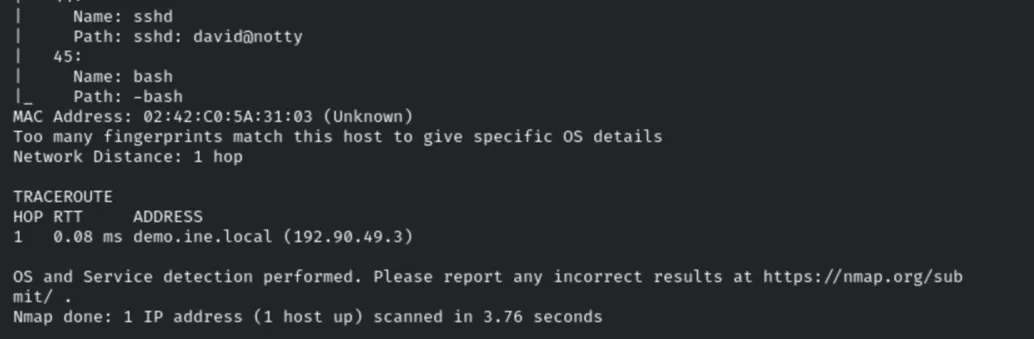
An aggressive scan of port 161 enumerates extensive information through SNMP, including the
list of installed software (snmp-win32-software) and running processes (e.g. an sshd
session david@notty).
nmap -T4 -sU -p161 -A demo.ine.local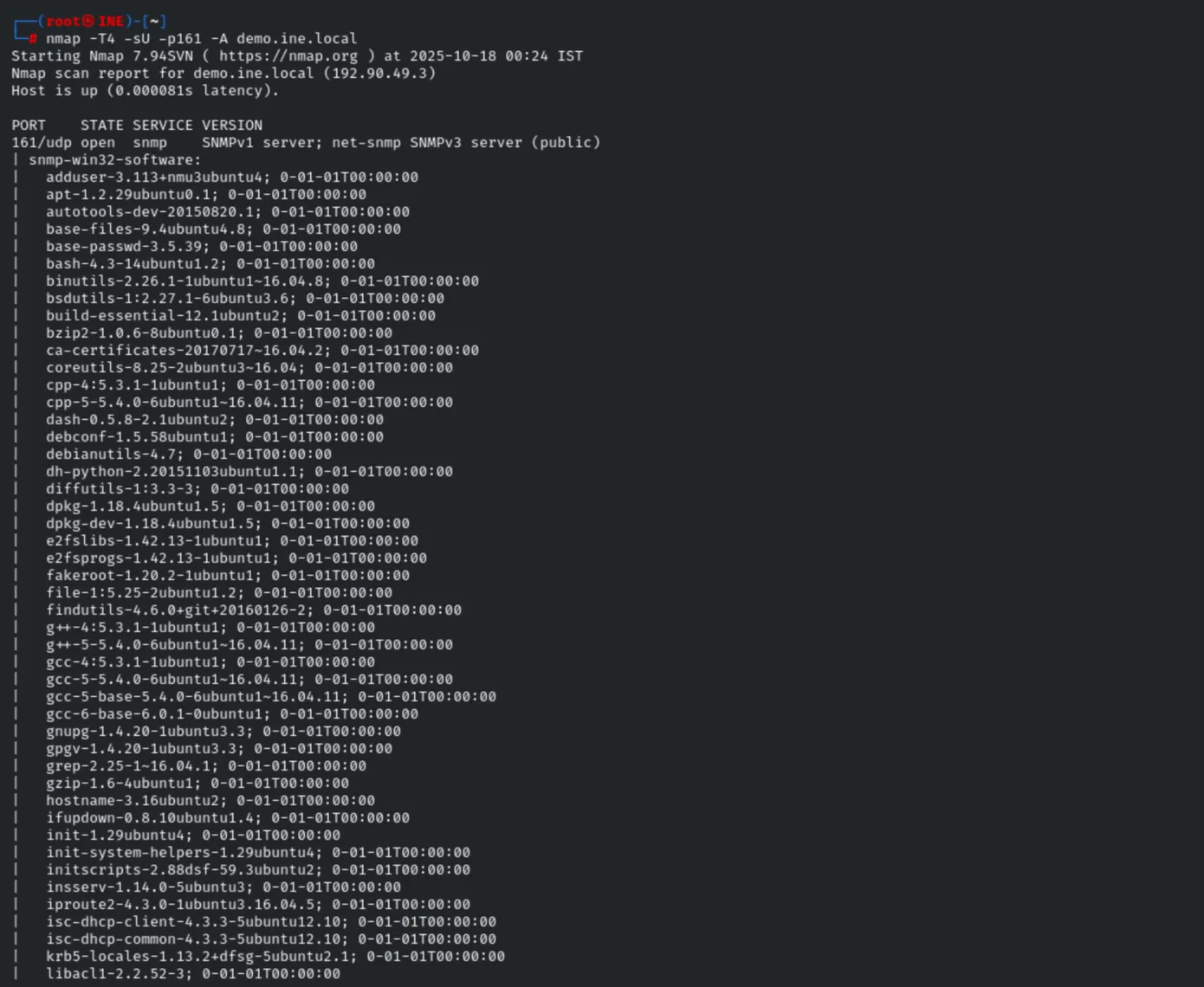
6. Remediation Recommendations
- Harden SNMP: change the default
publiccommunity string, restrict access, and use SNMPv3 with authentication and encryption. - Limit information exposure: SNMP leaks installed software and running processes that aid an attacker; disable unnecessary OIDs/MIBs.
- Firewall UDP services: a clean TCP scan can give a false sense of security; always assess UDP as well.