Scan the Server II
Classification: Assessment Methodologies / Footprinting & Scanning
Target: demo.ine.local (192.200.111.3)
1. Executive Summary
The goal of this lab is to identify the ports running a Bind DNS server, a TFTP server and an SNMP server. Combining TCP and UDP Nmap scans with aggressive scanning and NSE discovery scripts, we locate DNS (177/tcp and 177/udp), SNMP (234/udp) and TFTP (134/udp).
2. Host Discovery & TCP Scan
We check connectivity and run a full TCP version scan.
ping -c 4 demo.ine.local
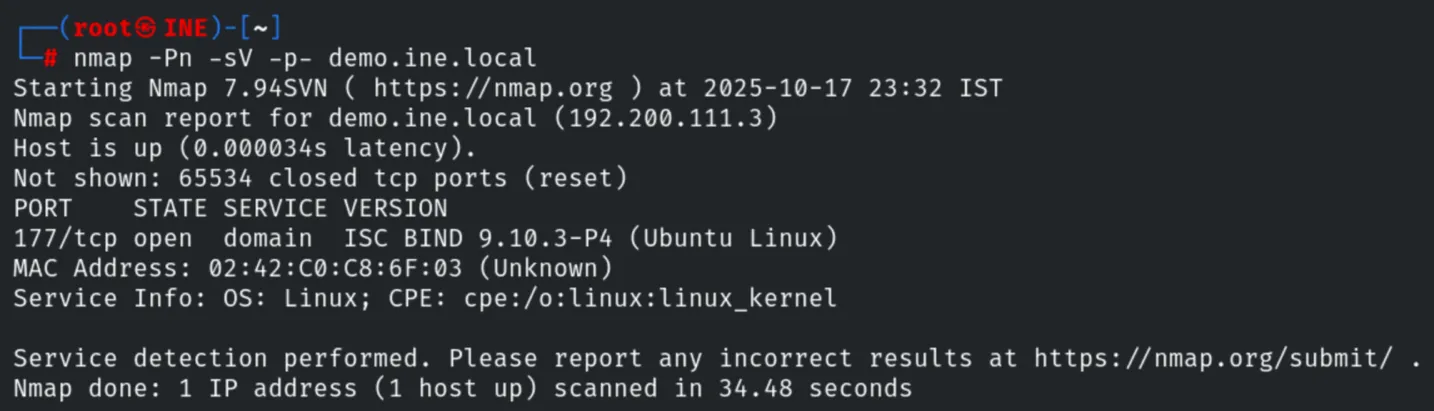
nmap -Pn -sV -p- demo.ine.local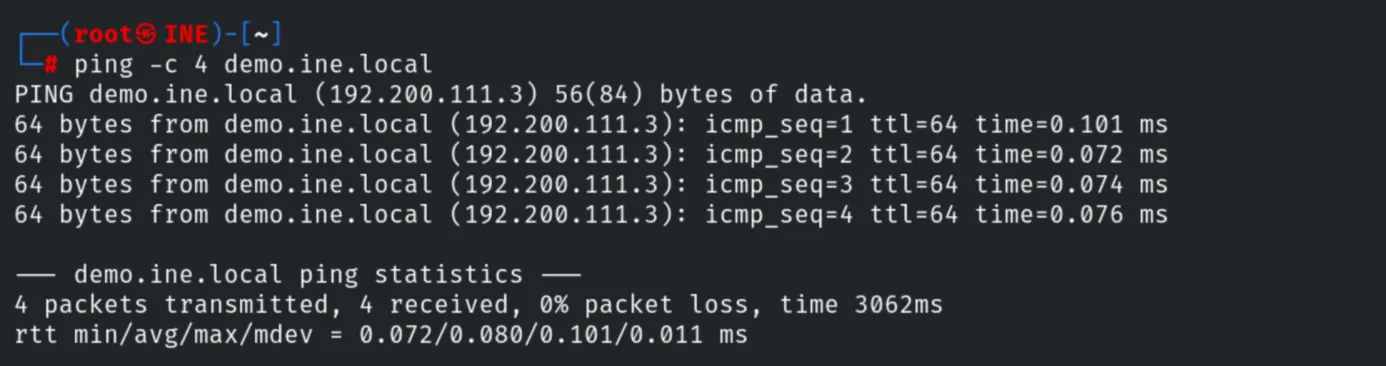
Nmap finds ISC BIND 9.10.3-P4 on port 177/tcp.
3. Aggressive Scan of the DNS Port
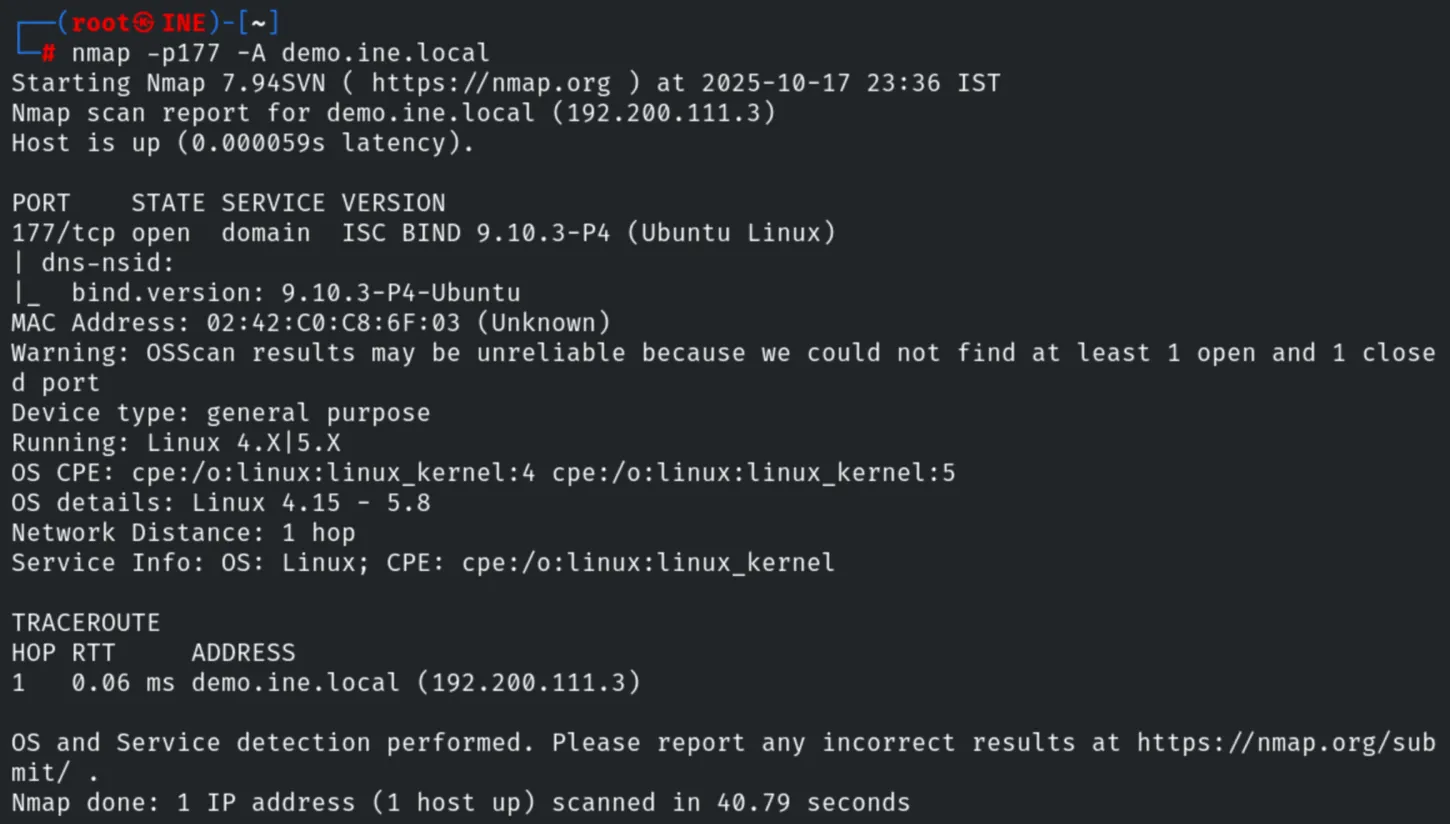
nmap -p177 -A demo.ine.localThe aggressive scan confirms bind.version: 9.10.3-P4-Ubuntu and provides OS details
(Linux 4.15 - 5.8), network distance and traceroute.
4. UDP Scan
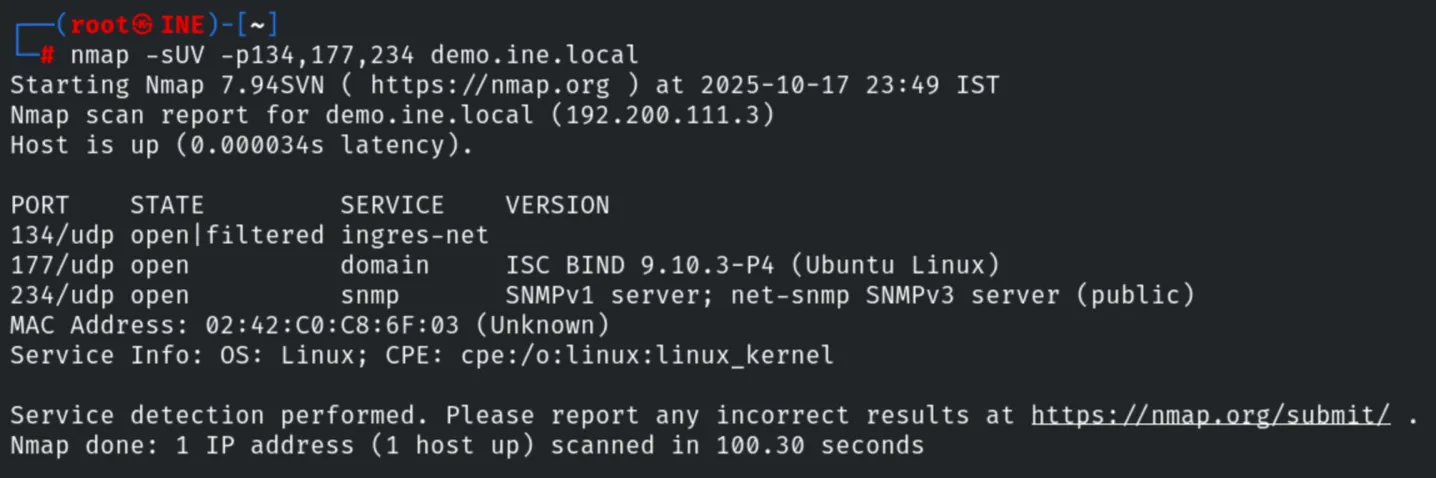
A UDP scan reveals three more services on ports 134, 177 and 234.
nmap -sU -p1-250 demo.ine.local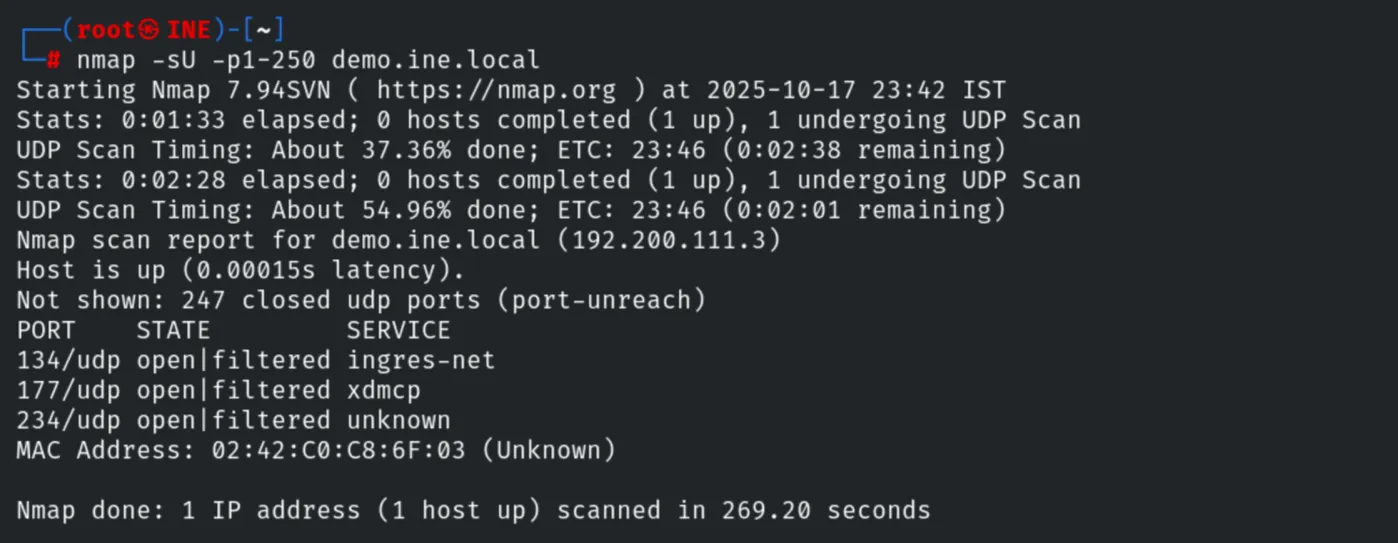
5. UDP Service Detection
nmap -sUV -p134,177,234 demo.ine.localPorts 177 and 234 run DNS and SNMP (SNMPv1/SNMPv3, community public)
respectively, so port 134 is the likely TFTP server.
6. Confirming TFTP with a Discovery Script
nmap -sUV -p134 --script=discovery demo.ine.localThe discovery scripts confirm port 134 as the TFTP service.
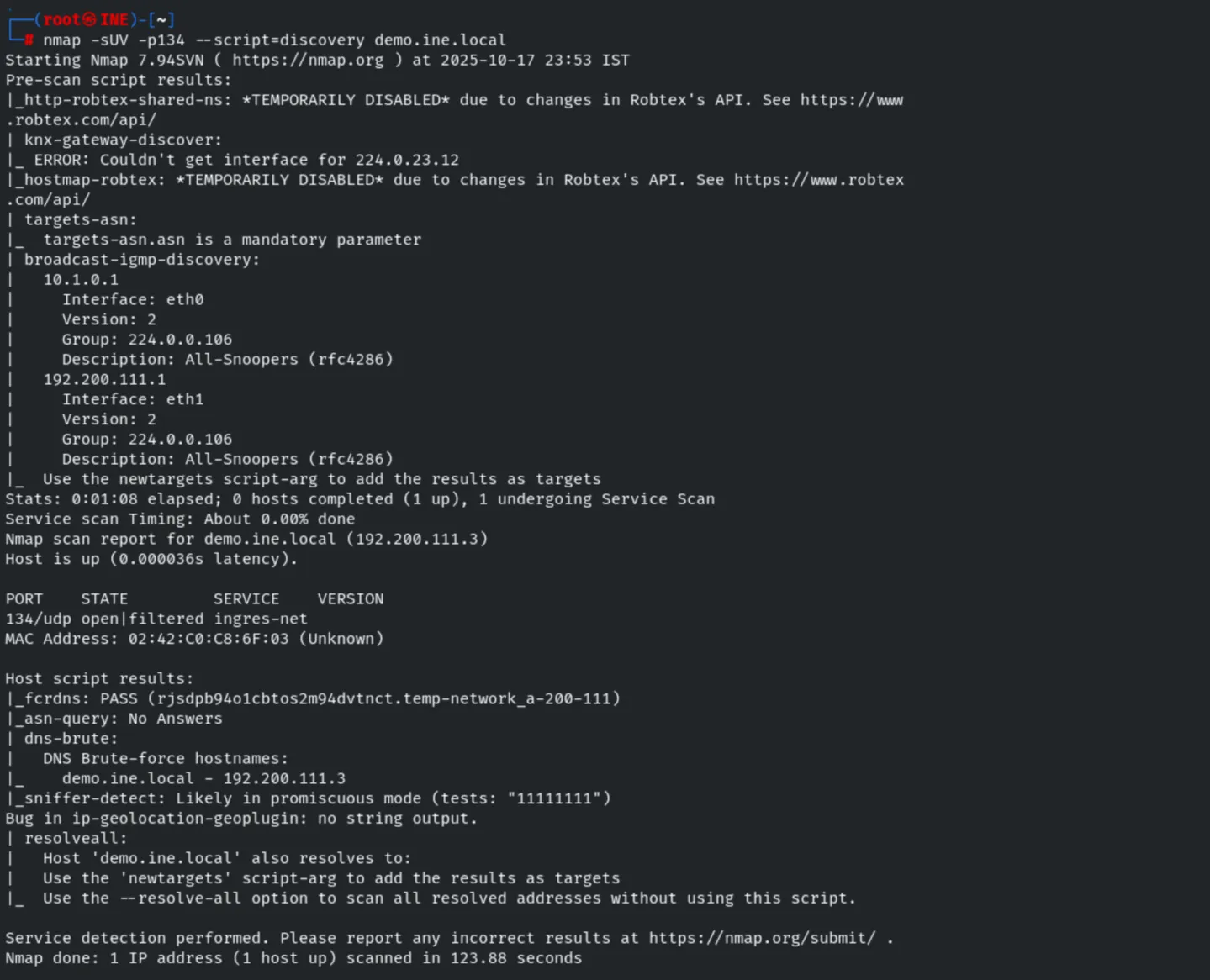
Finally we confirm access with the tftp client.
tftp 134 demo.ine.local
7. Remediation Recommendations
- Restrict UDP services: DNS, SNMP and TFTP on UDP are easy to overlook; firewall and monitor them.
- Harden SNMP: change the default
publiccommunity string and prefer SNMPv3 with authentication and encryption. - Disable TFTP where possible; it has no authentication and transfers data in clear text.
- Keep Bind updated and disable version disclosure (
version.bind).